
Use when adding new error messages to React, or seeing "unknown error code" warnings.

npx skills add buzhangsan/skill-manager
Or install specific skill: npx add-skill https://github.com/buzhangsan/skill-manager
A Claude Code skill that allows you to search, browse, and install skills from a database of 31,767+ community skills with intelligent folder-level downloads. Supports SVN export, Git sparse checkout, and HTTP fallback methods for complete skill folder installation.
name: skill-manager
description: A Claude Code skill that allows you to search, browse, and install skills from a database of 31,767+ community skills with intelligent folder-level downloads. Supports SVN export, Git sparse checkout, and HTTP fallback methods for complete skill folder installation.
version: 2.0.0
author: buzhangsan@github
license: MIT
allowed-tools:
- Bash
- Read
- Write
- Edit
- WebFetch
tags:
- skill-management
- package-manager
- search
- installation
- svn
- git
requirements:
- Node.js >= 14.0.0
- Internet connection
- SVN client (recommended) or Git
A Claude Code skill that allows you to search, browse, and install skills from a database of 31,767+ community skills with intelligent folder-level downloads.
Skill Manager provides an easy way to discover and install Claude Code skills. Simply describe what you're looking for, and it will search through a comprehensive database of skills, display matching results with ratings and descriptions, and automatically download the complete skill folder (not just SKILL.md) to your Claude environment.
The skill automatically selects the best available method:
choco install svn or download from TortoiseSVNbrew install svnapt-get install subversion or yum install subversionWhen you need to find and install a skill, simply tell Claude what you're looking for:
I need a skill for Python testing
Find me a skill to help with Docker
Search for skills related to API development
Claude will:
1. Search the skills database
2. Display matching results with ratings
3. Ask you to select one
4. Download the complete skill folder automatically
5. Show you the configuration and usage guide
This skill includes the skills database file in the data/ directory:
- data/all_skills_with_cn.json (30.33 MB)
The skill uses Node.js to:
- Parse and search the JSON skills database
- Automatically detect available download methods (SVN, Git, or HTTP)
- Use SVN export for efficient folder-only downloads
- Fall back to Git sparse checkout if SVN unavailable
- Download complete skill folders with all files (scripts, data, docs)
- Install skills to ~/.claude/skills/ directory
- Parse skill configuration from SKILL.md content
- Display formatted installation guides with method used
The skill intelligently selects the best method:
if (SVN available) {
  → Use SVN export (fastest, most efficient)
} else if (Git available) {
  → Use Git sparse checkout (slower but complete)
} else {
  → Download SKILL.md only (minimal fallback)
}
Why SVN for GitHub?
- GitHub supports SVN protocol for folder-level access
- Much faster than cloning entire repositories
- No Git history overhead
- Perfect for downloading specific skill folders
Example 1: Installing with SVN (Full Download)
User: I need help with Python testing
Assistant: [Searches database and shows results]
1. pytest-helper (by python-community)
   ⭐ 1,250 stars | 🔀 342 forks
   📝 Helps write and run pytest tests with fixtures and assertions...
   🔗 https://github.com/python-community/pytest-helper

User: Install the first one
Assistant: [Detects SVN, downloads complete folder with all scripts]
   ✓ SVN detected - using efficient folder download
   ✓ Method used: SVN
   ✓ Files installed: SKILL.md, pytest_runner.py, fixtures.py, README.md
Example 2: Fallback to Git Sparse Checkout
User: Find me skills for A股
Assistant: [Shows Chinese stock market skills]

User: Install technical-indicators
Assistant: [SVN not found, uses Git sparse checkout]
   ✓ Git detected - using sparse checkout
   ✓ Method used: Git Sparse Checkout
   ✓ Files installed: SKILL.md, skill.py, references/
Example 3: Search by author
User: Show me skills by pytorch
Assistant: [Searches and displays PyTorch organization skills]
Example 4: Search by functionality
User: Find skills for code review
Assistant: [Searches for code review related skills]
The skill responds to natural language requests like:
- "Find skills for [topic]"
- "Search for [keyword] skills"
- "Show me skills by [author]"
- "I need help with [task]"
- "Install skill number [N]"
- "Install [skill-name]"
~/.claude/skills/[skill-name]/SKILL.mdall_skills_with_cn.json)choco install svn or TortoiseSVNbrew install svnapt-get install subversion| Method | Speed | Files Downloaded | Disk Usage | Requirements |
|---|---|---|---|---|
| SVN Export | ⚡⚡⚡ Fast | All skill files | Minimal | SVN client |
| Git Sparse Checkout | ⚡⚡ Medium | All skill files | Small .git overhead | Git |
| SKILL.md Only | ⚡ Slow (HTTP) | Only SKILL.md | Minimal | None |
Recommendation: Install SVN for the best experience!
Created: 2025-12-26
Version: 2.0.0
Updates in v2.0:
- Added SVN export support for efficient folder downloads
- Added Git sparse checkout as fallback method
- Now downloads complete skill folders, not just SKILL.md
- Automatic method detection and selection
- Enhanced error handling and troubleshooting tips
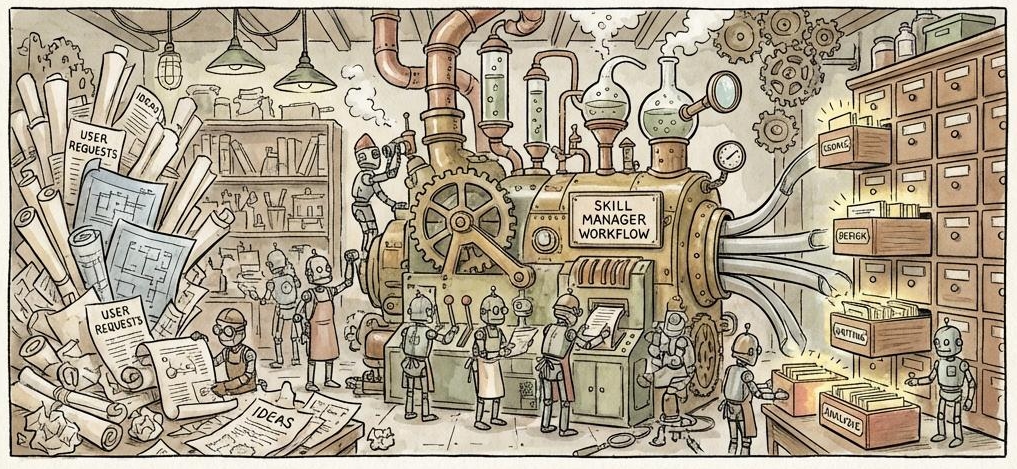
Search, browse, and install 31,767+ community skills from GitHub for your AI agent
English | 中文
Skill Manager is a Claude Code skill management tool that lets you easily discover and install 31,767+ skills from the GitHub community. Features bilingual search support, one-click installation, and automatic configuration.
Download and copy to the corresponding directory
Both AI assistants support the following operations:
| Operation | Description |
|---|---|
| Search Skills | Search 31,767+ skills using keywords |
| Install Skills | Install by specifying the search result number |
| Bilingual Search | Support both English and Chinese search |
| View Details | Display GitHub statistics for skills |
Claude Code is the official AI programming assistant from Anthropic.
Installation Steps:
skill-manager folder to the ~/.claude/skills/ directory (personal or project directory)Notes:
- Ensure the SKILL.md file exists in the skill-manager root directory
- Claude Code will automatically read SKILL.md to understand how to use this tool
Antigravity is an AI programming assistant from Google DeepMind.
Installation Steps:
.agent/skills/ directory in your project (if it doesn't exist)skill-manager folder to the .agent/skills/ directoryExample Commands:
"Please help me search for TypeScript related skills"
"Install a code review skill"
"Find skills suitable for frontend development"
skill-manager/
├── SKILL.md                     # Skill configuration
├── README.md                    # This file (English documentation)
├── src/                         # Source code
│   ├── index.js                 # Main implementation
│   └── package.json             # NPM package definition
├── data/                        # Data files
│   └── all_skills_with_cn.json  # 31,767 skills (30.33 MB)
└── docs/                        # Documentation
    ├── README_CN.md             # Chinese documentation
    ├── INSTALLATION.md          # Installation guide
    ├── CHANGELOG.md             # Changelog
    ├── PROJECT_SUMMARY.md       # Project summary
    └── UPGRADE_GUIDE.md         # Upgrade guide
| Item | Value |
|---|---|
| Total Skills | 31,767 |
| Chinese Translations | 31,752 (99.95%) |
| Database Size | 30.33 MB |
| Last Updated | 2025-12-26 |
Intelligent weighted scoring:
- Name match: +10 points
- Description match: +5 points
- Author match: +3 points
Results sorted by relevance and GitHub stars
MIT License
Version: 1.0.0
Created: 2025-12-26
Author: Claude Skill Manager Team
Use when adding new error messages to React, or seeing "unknown error code" warnings.
Use when feature flag tests fail, flags need updating, understanding @gate pragmas, debugging...
Use when you have lint errors, formatting issues, or before committing code to ensure it passes CI.
Use when you need to check feature flag states, compare channels, or debug why a feature behaves...
This skill is compatible with the SKILL.md standard and works with all major AI coding agents:
Learn more about the SKILL.md standard and how to use these skills with your preferred AI coding agent.