
Use when you have a written implementation plan to execute in a separate session with review checkpoints

npx skills add badDevBuild/md2poster-skill
Or install specific skill: npx add-skill https://github.com/badDevBuild/md2poster-skill
Converts a markdown string or file into a high-quality PNG image using markdown-to-poster and Puppeteer.
name: markdown-to-image
description: Converts a markdown string or file into a high-quality PNG image using markdown-to-poster and Puppeteer.
This skill allows you to convert Markdown content into a visually appealing image (poster style). It spins up a temporary local Vite server to render the content with React and uses Puppeteer to capture a screenshot.
bash
  cd <skill-root>
npm installYou can use this skill by running the render.js script.
node <skill-root>/render.js <input_markdown_file> [output_image_file] [theme] [size] [template]
<input_markdown_file>: Absolute path to the markdown file.[output_image_file]: (Optional) Defaults to ~/Downloads/markout/<filename>.png.[theme]: (Optional) Theme name. See selection guide below.[size]: (Optional) pc (wide) or mobile (default, narrow).[template]: (Optional) basic (default) or others if implemented.When invoking this skill, automatically select suitable themes based on the content's tone and topic if the user hasn't specified one.
| Theme Name | Style Keywords | Best For |
|---|---|---|
notion / notion-light |
Minimalist, Clean, Light, Sans-serif | Documentation, Notes, Daily Reports, General Knowledge |
lapis |
Blue/White, Academic, Elegant, Serif/Sans mix | Research Papers, Essays, Deep Dives, Technical Analysis |
bronya |
Light Grey, IDEA Code style, Warm accents | Devlogs, Tutorials, Coding heavy articles with a softer UI |
neon / lcars |
Dark, Star Trek, Sci-Fi, High Contrast, Black BG | Tech News, Sci-Fi Reviews, "Geek" content, CLI logs |
cyberpunk |
Dark, Glitch, Neon Blue/Pink, Retro-future | Gaming, Cyber Security, Edgy Tech, Crypto |
torillic |
Parchment, Serif, Classic, Multi-column | History, Literature, Poetry, Storytelling, Fantasy |
phycat-prussian (Default) |
Prussian Blue, Professional, Clean | Corporate Reports, Official Announcements, Business |
1. Daily Report (Clean/Professional):
node render.js input.md output.png notion mobile
2. Coding Tutorial (Dev focused):
node render.js input.md output.png bronya pc
3. Sci-Fi Story:
node render.js input.md output.png neon mobile
🎨 将 Markdown 一键转换为精美图片 | Convert Markdown to beautiful poster images
一个通用的 AI Agent Skill,支持 Gemini CLI、Cursor、Claude 等任何支持 Skill 的 AI 编程助手。包含 7 种精心设计的主题,让你的文章、笔记、教程瞬间变成可分享的精美图片。


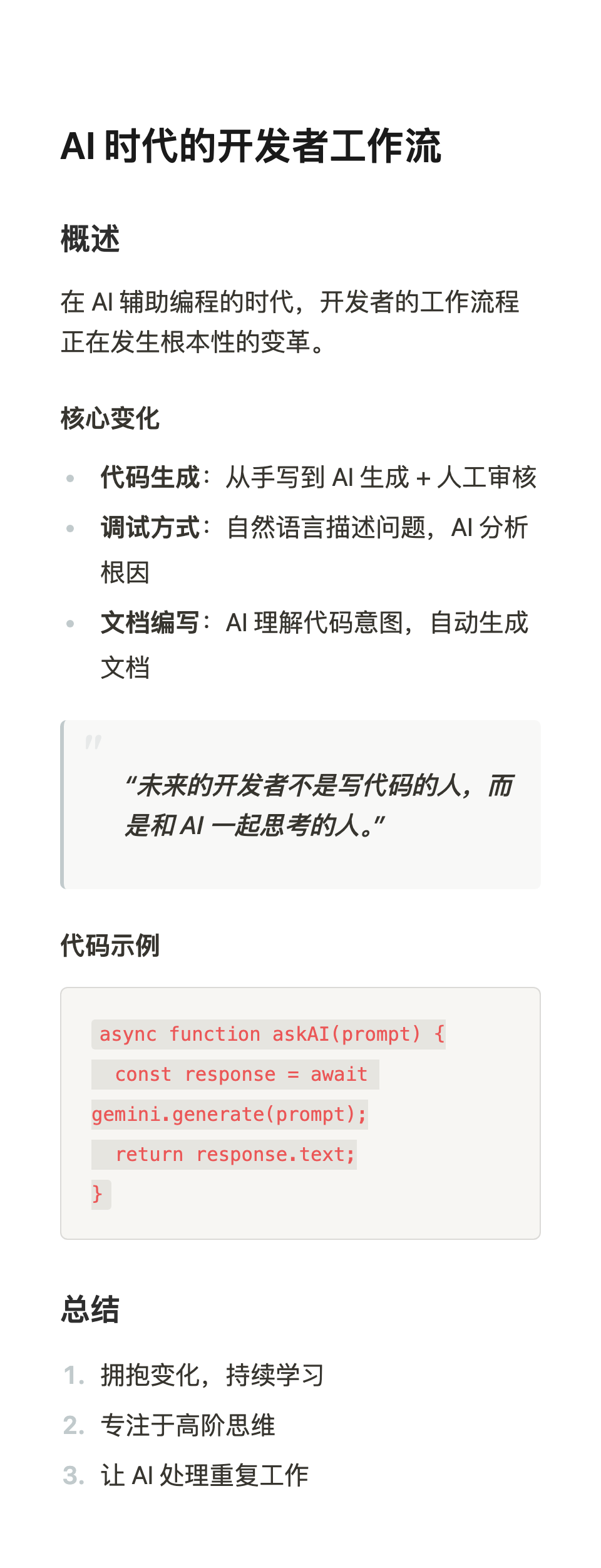
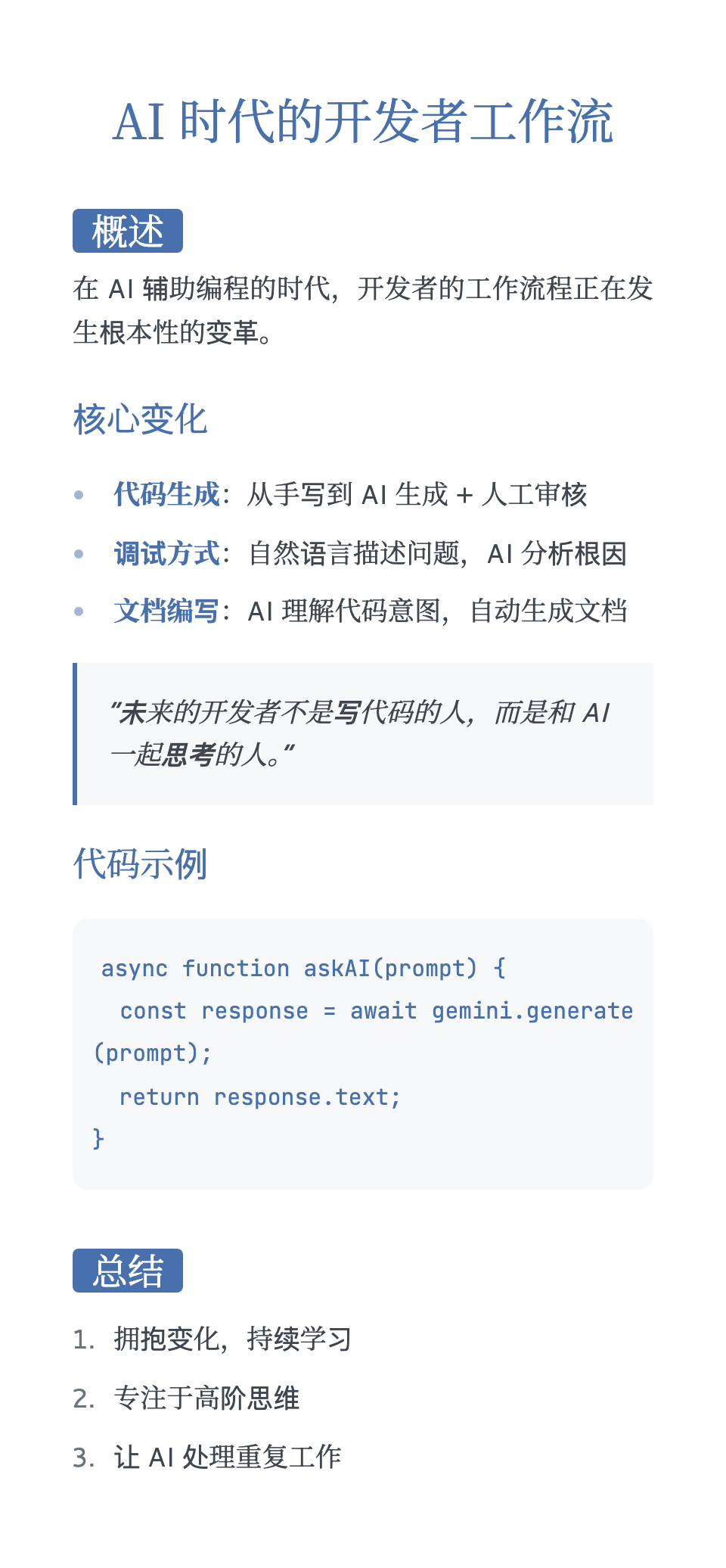
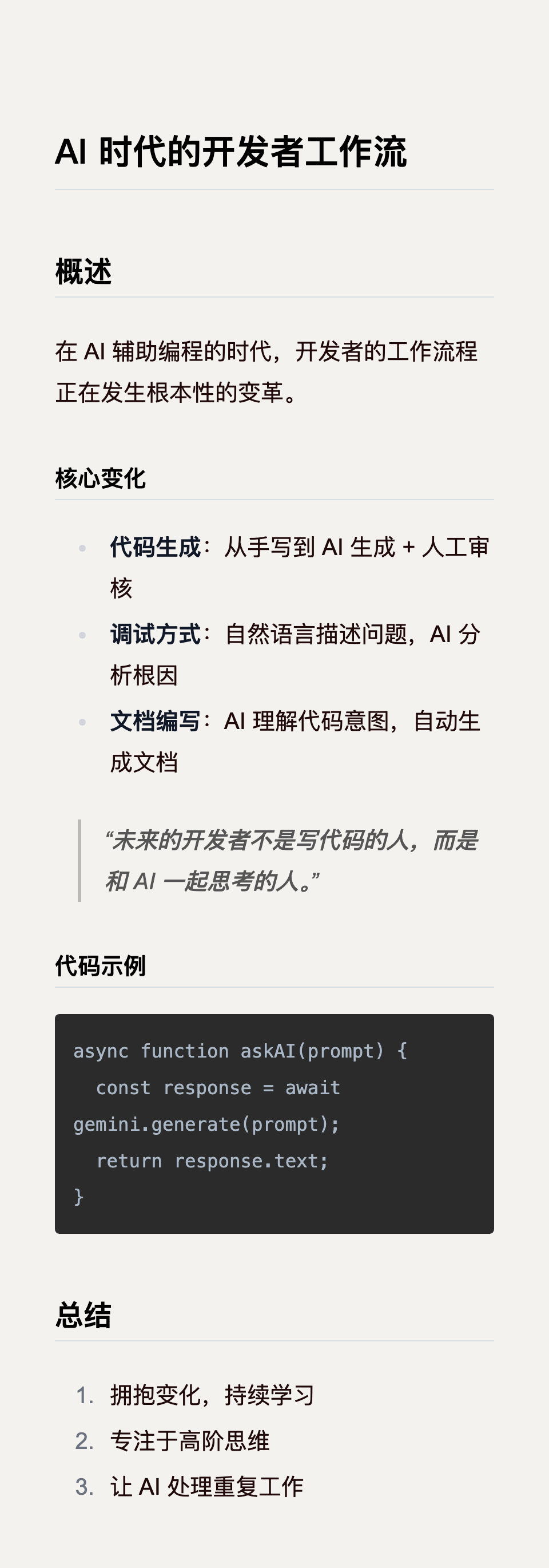
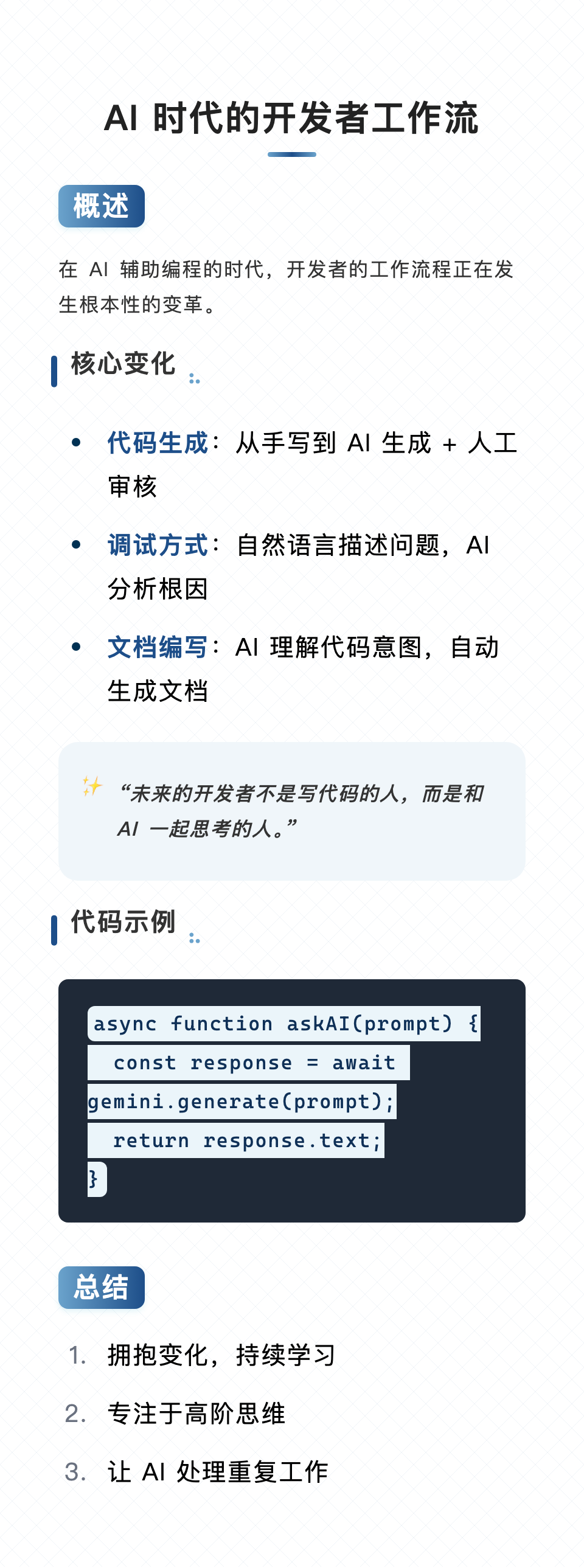
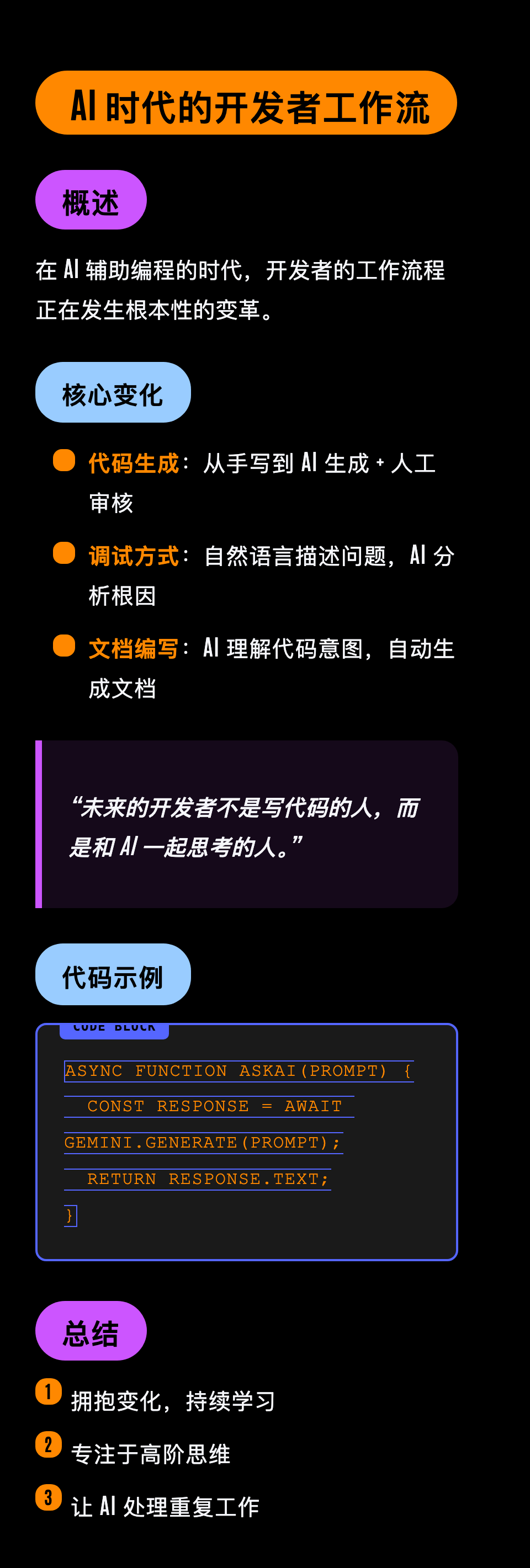
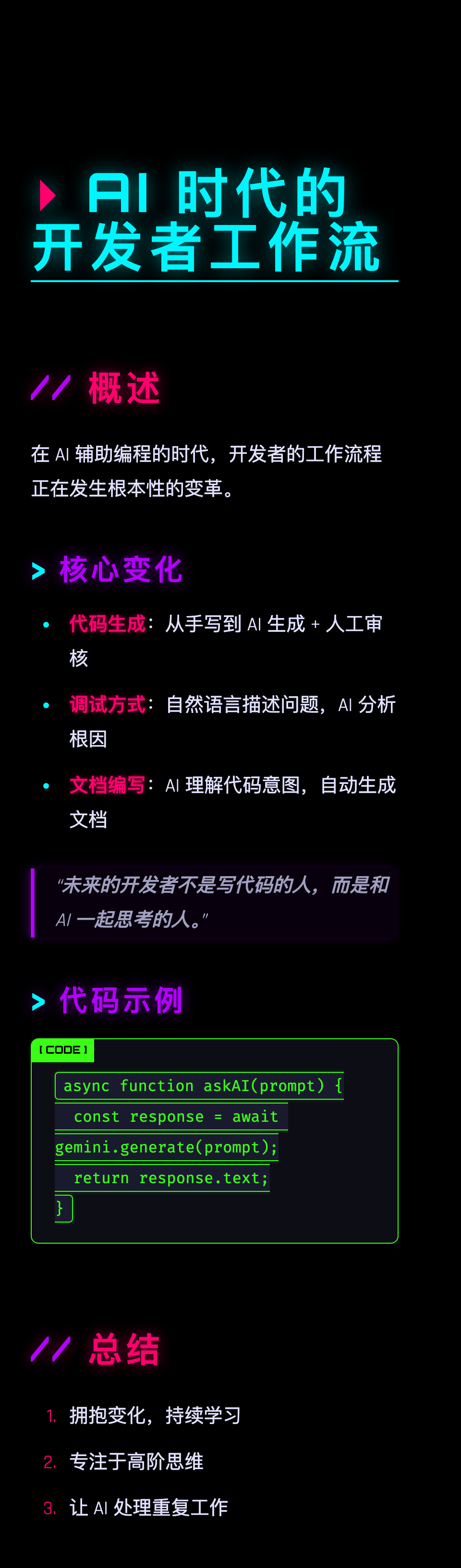
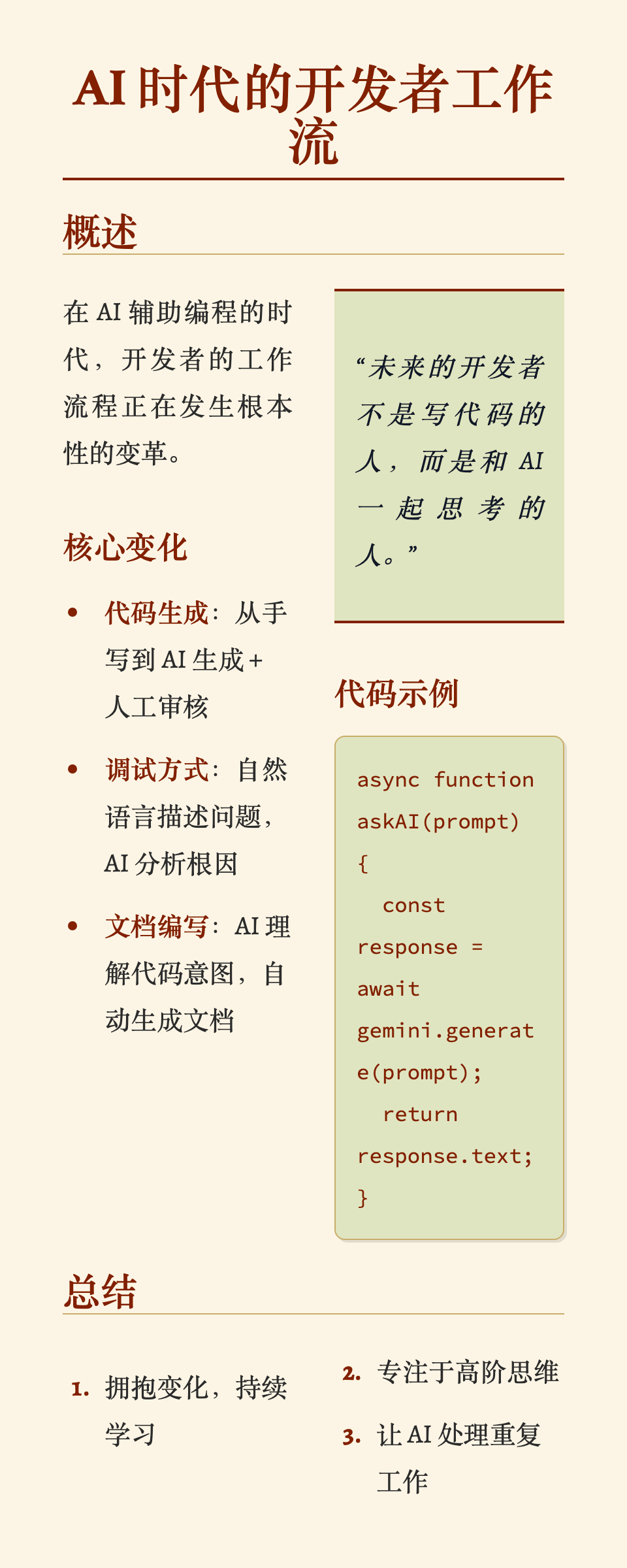
| 主题 | 风格 | 适用场景 |
|---|---|---|
| notion | 简洁、干净、无衬线 | 笔记、文档、日报 |
| lapis | 学术蓝白、优雅 | 论文、深度分析 |
| bronya | IDEA 代码风格、温暖 | 开发日志、教程 |
| lcars / neon | 星际迷航科幻、高对比 | 科技新闻、极客内容 |
| cyberpunk | 赛博朋克、霓虹 | 游戏、加密、安全 |
| torillic | 羊皮纸、经典、双栏 | 历史、文学、故事 |
| phycat-prussian | 普鲁士蓝、专业 | 商务报告、公告 |
cd md2poster-skill
npm install
node render.js <input.md> [output.png] [theme] [size]
参数说明:
- input.md - Markdown 文件路径(必填)
- output.png - 输出图片路径(可选,默认 ~/Downloads/markout/<filename>.png)
- theme - 主题名称(可选,默认 phycat-prussian)
- size - 尺寸 pc(宽)或 mobile(窄,默认)
# 使用 Notion 简洁主题
node render.js my-notes.md output.png notion mobile

# 使用 LCARS 科幻主题
node render.js tech-news.md output.png lcars pc

# 使用赛博朋克主题
node render.js crypto-update.md output.png cyberpunk mobile
本项目可以作为多种 AI 编程助手的 Skill/Tool 使用,让 AI 自动根据内容选择合适的主题。
将目录放入全局 skills 文件夹:
~/.agent/skills/
└── md2poster-skill/
    ├── SKILL.md
    ├── render.js
    └── ...
使用时告诉 AI:
"把这段内容转成图片"
在 vite-project/src/App.tsx 中可以轻松添加新主题:
themeColors 对象SKILL.md 中更新主题列表欢迎 PR 贡献新主题!
本项目的主题样式灵感来源于 Typora Themes,感谢开源社区的贡献!
MIT © badDevBuild
喜欢这个项目?给个 ⭐ 吧!
Use when you have a written implementation plan to execute in a separate session with review checkpoints
Use when starting any conversation - establishes how to find and use skills, requiring Skill...

|

|
This skill is compatible with the SKILL.md standard and works with all major AI coding agents:
Learn more about the SKILL.md standard and how to use these skills with your preferred AI coding agent.