
Refactor high-complexity React components in Dify frontend. Use when `pnpm analyze-component...

npx skills add rokoss21/swarm-iosm
Or install specific skill: npx add-skill https://github.com/rokoss21/swarm-iosm
Orchestrate complex development with AUTOMATIC parallel subagent execution, continuous dispatch scheduling, dependency analysis, file conflict detection, and IOSM quality gates. Analyzes task dependencies, builds critical path, launches parallel background workers with lock management, monitors progress, auto-spawns from discoveries. Use for multi-file features, parallel implementation streams, automated task decomposition, brownfield refactoring, or when user mentions "parallel agents", "orchestrate", "swarm", "continuous dispatch", "automatic scheduling", "PRD", "quality gates", "decompose work", "Mixed/brownfield".
name: swarm-iosm
version: 2.1
description: Orchestrate complex development with AUTOMATIC parallel subagent execution, continuous dispatch scheduling, dependency analysis, file conflict detection, and IOSM quality gates. Analyzes task dependencies, builds critical path, launches parallel background workers with lock management, monitors progress, auto-spawns from discoveries. Use for multi-file features, parallel implementation streams, automated task decomposition, brownfield refactoring, or when user mentions "parallel agents", "orchestrate", "swarm", "continuous dispatch", "automatic scheduling", "PRD", "quality gates", "decompose work", "Mixed/brownfield".
user-invocable: true
allowed-tools: Read, Grep, Glob, Bash, Write, Edit, Task, AskUserQuestion, TodoWrite
A structured workflow for complex development tasks that combines PRD-driven planning, parallel subagent execution, and IOSM (Improve→Optimize→Shrink→Modularize) quality gates.
For new features/projects (Greenfield):
/swarm-iosm new-track "Add user authentication with JWT"
For existing codebases (Brownfield):
/swarm-iosm setup
/swarm-iosm new-track "Refactor payment processing module"
Check progress:
/swarm-iosm status
Use Swarm Workflow when:
- Task requires multiple parallel work streams (exploration, implementation, testing, docs)
- Need formal PRD and decomposition for complex features
- Want structured reports and traceability ("who did what and why")
- Brownfield refactoring that needs careful planning and rollback strategy
- Team collaboration requiring artifact-based handoffs
- Quality gates (IOSM) are needed for acceptance
Don't use for:
- Simple single-file changes
- Quick bug fixes
- Exploratory tasks without implementation
/swarm-iosm setupInitialize project context for Swarm workflow.
What it does:
1. Creates swarm/ directory structure
2. Generates project context files (product.md, tech-stack.md, workflow.md)
3. Initializes tracks.md registry
When to use: First time in a project, or when project context has significantly changed.
/swarm-iosm new-track "<description>"Create a new feature/task track with PRD and implementation plan.
What it does:
1. Requirements gathering (AskUserQuestion for mode/priorities/constraints)
2. Generate PRD (swarm/tracks/<id>/PRD.md)
3. Create spec (spec.md) and plan (plan.md) with phases/tasks/dependencies
4. Identify subagent roles needed
5. Create metadata.json with track info
Arguments: Brief description of the feature/task (e.g., "Add OAuth2 authentication")
/swarm-iosm implement [track-id]Execute the implementation plan using parallel subagents.
What it does:
1. Load plan from track
2. Identify parallelizable tasks vs. sequential chains
3. Launch subagents (suggests background for long-running, foreground for interactive)
4. Each subagent produces structured report in reports/
5. Monitor progress and collect outputs
Arguments: Optional track-id (defaults to most recent track)
/swarm-iosm status [track-id]Show progress summary for a track.
What it does:
1. Parse plan.md for task statuses
2. List completed reports
3. Show blockers and open questions
4. Display dependency chain status
/swarm-iosm watch [track-id]Open a live monitoring dashboard for a track. (v1.3)
What it does:
1. Calculates real-time metrics (velocity, ETA, progress %)
2. Renders an ASCII progress bar
3. Shows status of all tasks in the track
4. Refreshes data from reports and checkpoints
Example usage:
/swarm-iosm watch
/swarm-iosm simulate [track-id]Run a dry-run simulation of the implementation plan. (v1.3)
What it does:
1. Loads implementation plan and resource constraints
2. Simulates dispatch loop with virtual time
3. Identifies bottlenecks and potential conflicts
4. Generates ASCII timeline and simulation report
5. Estimates total parallel execution time vs serial
Example usage:
/swarm-iosm simulate
/swarm-iosm simulate 2026-01-17-001
/swarm-iosm resume [track-id]Resume an interrupted implementation from the latest checkpoint. (v1.3)
What it does:
1. Loads latest checkpoint from checkpoints/latest.json
2. Reconciles state by reading all report files in reports/
3. Identifies completed vs pending tasks
4. Recalculates the ready queue
5. Shows a summary of progress and next steps
Example usage:
/swarm-iosm resume
/swarm-iosm resume 2026-01-17-001
/swarm-iosm retry <task-id> [--foreground] [--reset-brief]Retry a failed task with optional mode changes. (v1.2)
What it does:
1. Reads error diagnosis from task report using parse_errors.py
2. Shows error diagnosis to user with suggested fixes
3. Asks user to choose: apply fix, manual fix, or skip
4. Regenerates subagent brief with error context
5. Relaunches task using Task tool
6. Tracks retry count (max 3 per task)
Arguments:
- <task-id>: Task to retry (e.g., T04)
- --foreground: Force foreground execution (for interactive debugging)
- --reset-brief: Regenerate brief from scratch (vs. reuse existing)
Error-specific behaviors:
- Permission Denied: Always suggest --foreground
- MCP Tool Unavailable: Force foreground mode
- Import Error: Suggest pip install before retry
- Test Failed: Ask user: "Fix code or update tests?"
Example usage:
/swarm-iosm retry T04
/swarm-iosm retry T04 --foreground
/swarm-iosm retry T04 --reset-brief
Subagents can share knowledge via shared_context.md.
Protocol:
1. Subagent discovers a pattern (e.g., "Use schemas.py for all models").
2. Subagent writes to "Shared Context Updates" in their report.
3. Orchestrator runs merge_context.py to update shared_context.md.
4. Subsequent subagents read shared_context.md in their brief.
Example Report Update:
## Shared Context Updates
- [Error Handling]: Always wrap API calls in `try/except ApiError`.
/swarm-iosm integrate <track-id>Collect subagent reports and create integration plan.
What it does:
1. Read all reports from swarm/tracks/<id>/reports/
2. Identify conflicts and resolution strategy
3. Generate integration_report.md with merge order
4. Run IOSM quality gates
5. Create iosm_report.md with gate results and IOSM-Index
/swarm-iosm revert-plan <track-id>Generate rollback guide for a track (does not execute git revert).
What it does:
1. Analyze files touched (from reports)
2. Identify commits/changes to revert
3. Suggest checkpoint/branch strategy
4. Create rollback_guide.md with manual steps
--graph)Generate a Mermaid diagram of the task dependency graph.
Usage:
/swarm-iosm simulate --graph
Generates dependency_graph.mermaid.
The planner automatically checks for:
- Monolithic tasks (XL + many touches)
- Low parallelism (<1.2x speedup)
- Missing quality gates
- Circular dependencies
Warnings appear in simulate and validate output.
You can override standard templates by placing files in swarm/templates/.
Resolution Order:
1. swarm/templates/<name> (Project-specific)
2. .claude/skills/swarm-iosm/templates/<name> (Skill defaults)
Supported Templates:
- prd.md, plan.md, subagent_brief.md, subagent_report.md
Define limits in plan.md or metadata to prevent overload.
Defaults:
- Max Parallel Background: 6
- Max Parallel Foreground: 2
- Max Total: 8
- Cost Limit: $10.00
Model Selection:
- Auto-select: Haiku (read-only), Sonnet (standard), Opus (security/arch).
CRITICAL: The main agent (Claude) acts as ORCHESTRATOR ONLY. You coordinate subagents but DO NOT do implementation work yourself.
plan.md and build dependency graphorchestration_plan.md with waves/critical pathDetect file conflicts and resolve scheduling
Launch Subagents
Pre-resolve all questions for background tasks
Monitor & Handle Blockers
/bashes to track background tasksApply fallback strategy (retry → resume → recovery task)
Integrate & Gate
Generate integration_report.md and iosm_report.md
Meta-work (ONLY exception to "no implementation")
plan.md statusmetadata.json, tracks.md)❌ Refactor existing code
Analysis work:
❌ Run security scans (that's SecurityAuditor's job)
Specialized work:
Exception: If a task is trivial (<5 min) meta-work (e.g., add entry to tracks.md), orchestrator MAY do it. But if it's real logic/code → delegate.
Phase 0: Requirements Intake
    ↓
Phase 1: PRD Generation
    ↓
Phase 2: Decomposition & Planning (create plan.md)
    ↓
[NEW] Phase 2.5: Orchestration Planning ← AUTOMATIC
    ↓
Phase 3: Subagent Execution (CONTINUOUS DISPATCH) ← v1.1
    ↓
Phase 4: Integration & IOSM Gates
    ↓
Phase 5: Deployment Prep
Ключевое изменение v1.1: Оркестратор работает в режиме continuous scheduling — как только задача становится READY, она запускается немедленно, без ожидания "конца волны".
"Работай в режиме continuous scheduling: как только появляется READY задача без конфликтов touches и без needs_user_input — немедленно запускай её в background, даже если другие задачи ещё выполняются. После каждого батча собирай SpawnCandidates из отчётов и автоматически добавляй их в backlog. Продолжай цикл, пока не достигнуты заданные IOSM Gate targets."
LOOP (до достижения Gate targets):

  1. CollectReady()
     └─── Собрать задачи, у которых deps выполнены

  2. Classify()
     └─── Каждой задаче присвоить режим:
        - background: safe, no user input needed
        - foreground: needs user decision
        - blocked_user: needs_user_input=true, не можем авто-решить
        - blocked_conflict: touches пересекаются с running

  3. ConflictCheck()
     └─── Parallel launch ТОЛЬКО tasks без пересечения touches (для write)
     └─── Read-only tasks ВСЕГДА можно параллелить

  4. DispatchBatch()
     └─── Запустить READY tasks ОДНИМ СООБЩЕНИЕМ (max 3-6 per batch)
     └─── Приоритет: critical_path > high_severity_spawn > read-only_fillers
     └─── Каждый batch получает batch_id для трекинга
     └─── Не ждать "конца волны" — dispatch immediately

  5. Monitor()
     └─── Периодически читать outputs background tasks
     └─── Собирать SpawnCandidates из отчётов

  6. AutoSpawn()
     └─── Если найдены SpawnCandidates → создать новые tasks
     └─── Добавить в backlog и вернуться к шагу 1

  7. GateCheck()
     └─── Проверить условия Gate-I/M/O/S
     └─── Если достигнуты → остановиться + gate-report
     └─── Если нет → авто-spawn remediation tasks и продолжить

END LOOP
| State | Описание |
|---|---|
backlog |
Все известные задачи |
ready |
Deps satisfied, можно запускать |
running |
Выполняется (background или foreground) |
blocked_user |
needs_user_input=true, ждёт решения |
blocked_conflict |
touches заняты другой running task |
done |
Завершена |
Правило: Если задача стала READY в момент, когда другие выполняются — запускать сразу, не ждать checkpoint.
Для безопасного параллелизма оркестратор должен отслеживать "занятые" файлы:
touches_lock: Set[path] = {}

При запуске task:
  1. Проверить: task.touches ∩ touches_lock == ∅ ?
  2. Если да → touches_lock.add(task.touches), запустить
  3. Если нет → blocked_conflict, ждать освобождения

При завершении task:
  1. touches_lock.remove(task.touches)
  2. Пересчитать ready_queue (кто разблокировался?)
Правила конфликтов:
- read-only задачи → всегда параллельно (не берут lock)
- write-local → параллельно если touches не пересекаются
- write-shared → строго последовательно
Иерархия конфликтов:
Lock по ПАПКЕ (core/) конфликтует:
  ├── с любым lock внутри (core/a.py, core/b.py)
  └── с lock на саму папку (core/)

Lock по ФАЙЛУ (core/a.py) конфликтует:
  ├── только с тем же файлом
  └── с lock на родительскую папку (core/)
Нормализация путей:
- Всегда использовать / (forward slash)
- Убирать trailing slash (core/ → core)
- Приводить к lowercase (для Windows)
- Использовать относительные пути от корня проекта
Пример проверки конфликта:
def conflicts(lock_a: str, lock_b: str) -> bool:
    a, b = normalize(lock_a), normalize(lock_b)
    return a == b or a.startswith(b + '/') or b.startswith(a + '/')
Проблема: "read-only" задачи могут случайно писать в cache, lockfiles, pycache.
Решение: read-only задачи ДОЛЖНЫ:
1. НЕ запускать команды, меняющие файлы (npm install, pip install)
2. Писать временные артефакты ТОЛЬКО в swarm/tracks/<id>/scratch/
3. Использовать флаги --dry-run, --check где возможно
scratch_dir правило:
swarm/tracks/<track-id>/scratch/   ← read-only tasks пишут сюда
  ├── T00_analysis.json
  ├── T03_coverage.xml
  └── ...
Эта папка НЕ требует lock и НЕ конфликтует ни с кем.
Оркестратор автоматически классифицирует задачи:
Auto-background (safe, запускать без вопросов):
- Concurrency class = read-only
- Или write-local + needs_user_input=false + no policy conflicts
- effort >= M и нет choice points
Auto-foreground (нужен пользователь):
- Меняется API контракт/формат ответа
- Нужна "истина" (источники, бизнес-логика, астрология)
- Падают тесты и нужно решить "фиксить код или тест"
- High-risk изменения без тестов
- needs_user_input=true
Каждый субагент ОБЯЗАН писать в отчёте секцию SpawnCandidates:
## SpawnCandidates

При работе обнаружены новые work items:

| ID | Subtask | Touches | Effort | User Input | Severity | Dedup Key | Accept Criteria |
|----|---------|---------|--------|------------|----------|-----------|-----------------|
| SC-01 | Fix missing type annotation in auth.py | `backend/auth.py` | S | false | medium | auth.py|type-annot | mypy passes |
| SC-02 | Clarify API contract for /natal/aspects | `docs/api_spec.yaml` | M | true | high | api_spec|contract | Contract approved |
Dedup Key формат: <primary_touch>|<intent_category>
- Используется для дедупликации одинаковых кандидатов от разных воркеров
Оркестратор обязан:
1. После каждого task completion — читать SpawnCandidates
2. Дедуплицировать по dedup_key (первый wins)
3. Если needs_user_input=false и severity != critical → auto-spawn
4. Если needs_user_input=true → добавить в blocked_user queue
5. Прогнать новые tasks через планнер и dispatch
Защита от бесконечного размножения задач:
В iosm_state.md отслеживать:
## Spawn Budget
- spawn_budget_total: 20
- spawn_budget_used: 7
- spawn_budget_remaining: 13
- spawn_budget_per_gate:
  - Gate-I: 5 (used: 2)
  - Gate-O: 8 (used: 3)
  - Gate-M: 4 (used: 2)
  - Gate-S: 3 (used: 0)
Правила:
- При исчерпании budget → STOP, спросить пользователя
- severity=critical игнорирует budget (всегда spawn)
- User может увеличить budget командой
def dedup_key(candidate) -> str:
    return f"{candidate.touches[0]}|{candidate.intent_category}"

# Оркестратор хранит:
seen_dedup_keys: Set[str] = set()

# При обработке SpawnCandidate:
if candidate.dedup_key in seen_dedup_keys:
    skip  # дубль
else:
    seen_dedup_keys.add(candidate.dedup_key)
    process(candidate)
| Severity | Auto-spawn условие |
|---|---|
critical |
ВСЕГДА (даже если budget=0), STOP loop и alert |
high |
Если gate fail ИЛИ user запросил |
medium |
Если gate fail И budget > 0 |
low |
Только по явному запросу user |
## Anti-Loop Metrics (in iosm_state.md)
- loops_without_progress: 0  # сбрасывается при любом task completion
- max_loops_without_progress: 3
- total_loop_iterations: 15
- max_total_iterations: 50
Правило: Если loops_without_progress >= 3 → STOP, analyze why stuck
Model Selection Rules:
- haiku: read-only tasks ($0.25/M tokens)
- sonnet: standard tasks, background automation ($3.00/M tokens)
- opus: security audits, critical architecture, user decisions ($15.00/M tokens)
Cost Tracking:
Orchestrator tracks cost in iosm_state.md:
- Estimate: Calculated from Effort field (S=5k, M=20k, L=50k, XL=100k tokens)
- Actual: Sum of tokens reported by subagent (if available) or estimate if not
Budget Control:
- Default limit: $10.00 per track
- Warn @ 80% ($8.00): Notify user
- Stop @ 100% ($10.00): Pause execution, ask user to increase budget or prune tasks
Оркестратор продолжает LOOP пока не достигнуты Gate targets:
Обновлять iosm_state.md после каждого батча:
# IOSM State — [Track ID]

**Updated:** 2026-01-17 15:30
**Status:** IN_PROGRESS

## Gate Targets (from plan.md)
- Gate-I: ≥0.75 (current: 0.68) ❌
- Gate-M: pass (current: pass) ✅
- Gate-O: tests pass (current: 3 failing) ❌
- Gate-S: N/A

## Auto-Spawn Queue
Based on gate gaps, auto-spawning:
- T15: "Improve naming clarity in core/calculator.py" (Gate-I gap)
- T16: "Fix 3 failing integration tests" (Gate-O gap)

## Blocking Questions (needs user)
- Q1: Should we fix test_natal_aspects.py or update expected values?

## Next Actions
Waiting for T15, T16 to complete. Then re-evaluate gates.
Правила продолжения:
- Если Gate-I ниже порога → auto-spawn "Improve clarity / reduce duplication"
- Если Gate-O не pass → auto-spawn "fix failing tests"
- Если Gate-M не pass → auto-spawn "remove circular import / clarify boundaries"
- Продолжать пока gates не достигнуты
Оркестратор ОБЯЗАН остановиться и спросить пользователя если:
When user invokes /swarm-iosm retry <task-id>:
1. Load error diagnosis:
from parse_errors import parse_subagent_errors
report_path = Path(f"swarm/tracks/{track_id}/reports/{task_id}.md")
diagnoses = parse_subagent_errors(report_path, task_id)
2. Show diagnosis to user:
Present each error with:
- Error type (e.g., "Permission Denied")
- Affected file
- Root reason
- Suggested fixes (from error diagnosis)
3. User chooses action:
Use AskUserQuestion with options:
- "Apply suggested fix" (if automatic fix available)
- "Manual fix required" (user does it manually)
- "Skip and continue" (mark task as failed)
4. Regenerate brief:
Create new brief with:
- All original brief content
- New "Previous Attempt" section:
## Previous Attempt (Failed)

This task was attempted before and failed with:

**Error:** Permission Denied
**File:** backend/migrations/001.sql
**Reason:** Database user lacks CREATE TABLE permission

**What was attempted:** Direct migration execution

**What to do differently:**
1. Grant permissions first, OR
2. Run as admin user, OR
3. Break into smaller steps
5. Relaunch:
Task(
    subagent_type="iosm-engineering-agent",
    prompt=updated_brief,
    run_in_background=(not "--foreground" in user_command)
)
6. Update state:
- In iosm_state.md, mark task as RETRY_IN_PROGRESS
- Track retry_count in task metadata
- If retry_count >= 3, mark as PERMANENTLY_FAILED
PERMANENTLY_FAILED| Error Type | Auto-Fix | Mode | Notes |
|---|---|---|---|
| Permission Denied | No | foreground | User must grant permissions |
| Import Error | Yes (pip install) | background | Try install first |
| Test Failed | No | foreground | User decision: fix code or tests |
| MCP Tool Unavailable | No | foreground | Background can't use MCP |
| File Not Found | Maybe | foreground | Check dependency task |
| Timeout | No | foreground | May need effort increase |
Waves остаются для отчётности и checkpoints, но НЕ для blocking:
Wave 1: [T01, T02] — checkpoint для Gate-I review
Wave 2: [T03, T04, T05] — checkpoint для Gate-M review
Wave 3: [T06, T07] — checkpoint для Gate-O review
Но: Если T03 завершился раньше T02, и T04 depends_on T03 — запускать T04 сразу, не ждать Wave 2 checkpoint.
Goal: Transform plan.md into executable orchestration_plan.md with waves, modes, conflict resolution.
When: After plan.md is created, before launching subagents.
Steps:
bash
   python .claude/skills/swarm-iosm/scripts/orchestration_planner.py swarm/tracks/<id>/plan.md --validate
Check all tasks have:
- Touches (files/folders)
- Needs user input (true/false)
- Effort (S/M/L/XL or minutes)
If missing: Tasks without these fields CANNOT be auto-scheduled. Ask user to add them OR infer from context.
bash
   python .claude/skills/swarm-iosm/scripts/orchestration_planner.py swarm/tracks/<id>/plan.md --generate
This creates swarm/tracks/<id>/orchestration_plan.md with:
- Dependency graph
- Critical path (longest path through dependencies)
- Execution waves (parallel grouping)
- File conflict matrix
- Background readiness checklist
- Time estimates (serial vs parallel)
Estimated time: 27-42h parallel (vs 60-80h serial)
Speedup: ~1.8x
Ready to execute? (yes/no)
```
needs_user_input: false but you suspect may need decisions:Example:
```
Wave 3 has 3 background implementers.
Before launching background tasks, let me clarify:
[AskUserQuestion with 2-3 questions about API design, error handling, testing strategy]
These answers will be included in subagent briefs so they can work autonomously.
```
Output: orchestration_plan.md ready, all questions resolved, ready for Phase 3 execution.
When user invokes /swarm-iosm new-track or triggers this Skill:
Brownfield (modify existing codebase)
If Brownfield: Suggest Plan mode first:
"I recommend starting in Plan mode (read-only exploration) to safely analyze the codebase before making changes. Shall I proceed with Plan mode first?"
If no: Proceed with caution warnings
Gather requirements using AskUserQuestion for:
Permissions: What tools/operations are allowed
Ask text questions for:
Definition of Done: "Tests? Docs? Deployment?"
Save intake to swarm/tracks/<track-id>/intake.md
Using intake data, generate swarm/tracks/<track-id>/PRD.md following template:
# PRD: <Feature Name>
## 1. Problem
## 2. Goals / Non-goals
## 3. Users & Use-cases
## 4. Scope (MVP / Later)
## 5. Requirements
### Functional
### Non-functional
## 6. UX / API / Data
## 7. Risks & Mitigations
## 8. Acceptance Criteria
## 9. Rollout / Migration plan
## 10. IOSM Targets (Gates + expected index delta)
See templates/prd.md for detailed template.
From PRD, create spec.md and plan.md:
spec.md (Conductor-style):
- Context
- What / Why
- Constraints
- Out of scope
- Acceptance tests
- Artifacts to produce
- Rollback assumptions
plan.md (WBS with dependencies):
- Phases (0: Intake, 1: Design, 2: Implementation, 3: Verification, 4: Integration)
- Tasks with:
- owner_role (Explorer/Architect/Implementer/TestRunner/etc)
- depends_on (task IDs)
- files_modules (scope)
- acceptance criteria
- artifacts (reports/T01.md, etc)
- iosm_checks (which gates apply)
- status (TODO/DOING/DONE/BLOCKED)
See templates/plan.md for structure.
Goal: Execute orchestration_plan.md using parallel waves of subagents.
CRITICAL: Launch subagents in PARALLEL WAVES, not one-by-one.
Use these predefined roles:
When: Always for brownfield, before making changes
Architect (design decisions)
When: Complex features, API changes, architectural decisions
Implementer-{A,B,C} (parallel implementation)
When: Independent modules that can be developed in parallel
TestRunner (verification)
When: After implementation, before integration
SecurityAuditor (security review)
When: Auth/payment features, external APIs, data handling
PerfAnalyzer (performance review)
When: Data processing, APIs, high-traffic features
DocsWriter (documentation)
Parallelization Rules:
✅ Parallel (can run simultaneously):
- Different modules/files with no shared state
- Independent research tasks (Explorer on different subsystems)
- Docs + Implementation (if API is stable)
- Multiple Implementers on separate components
❌ Sequential (must run in order):
- Tasks with dependencies (Architect → Implementer)
- Shared file modifications (two agents editing same file)
- Test → Fix → Re-test cycles
Background vs Foreground:
Use background (run_in_background: true in Task tool) when:
- Long-running operations (tests, builds, analysis)
- No user input needed (all questions resolved upfront)
- Permissions pre-approved
- Can tolerate "fire and forget" mode
Use foreground (default) when:
- Need user clarifications during execution
- Interactive debugging/problem-solving
- Permission escalations expected
- Results needed immediately for next step
IMPORTANT: Background subagents cannot use AskUserQuestion (tool call will fail). Resolve all questions BEFORE launching background tasks.
Background subagents CANNOT reliably use:
| Tool/Feature | Status | Reason |
|---|---|---|
AskUserQuestion |
BLOCKED | Auto-denied, no user interaction |
| Permission prompts | BLOCKED | Auto-denied, may fail silently |
| MCP tools | UNSTABLE | May be unavailable in background context |
| External APIs | RISKY | Network errors not recoverable |
| Long git operations | RISKY | May timeout or conflict |
Rule of thumb:
- Background = autonomous code/tests/read/local-only operations
- Foreground = MCP, external integrations, user decisions, risky operations
Pre-flight checklist for background tasks:
1. All questions pre-resolved in brief
2. No MCP tools required
3. No external API calls (or wrap with fallback)
4. No interactive permissions needed
5. Touches clearly defined (no surprises)
If task needs MCP or external calls → force foreground:
- **Needs user input:** true  ← even if technically "safe"
- **Note:** Requires MCP/external API, must run foreground
Read swarm/tracks/<id>/orchestration_plan.md to understand:
- How many waves
- Which tasks in each wave
- Which tasks are parallel vs sequential
- Which tasks are background vs foreground
For each wave in the orchestration plan:
For each task in the wave:
1. Generate brief using templates/subagent_brief.md
2. Fill in all sections:
- Goal, Scope, Context
- Dependencies (what previous tasks delivered)
- Constraints (technical, performance, security)
- Output contract (code + tests + report)
- Verification steps
- Acceptance criteria
- Pre-resolved questions (for background tasks)
- IOSM checks to pass
You MUST save report to: swarm/tracks/<id>/reports/<task-id>.md
Use template: .claude/skills/swarm-iosm/templates/subagent_report.mdFor parallel tasks in wave:
Launch ALL tasks in wave SIMULTANEOUSLY using single message with multiple Task tool calls.
Example (Wave 3: 3 implementers):
I'm launching Wave 3 with 3 parallel implementers (all background):

[Single message with 3 Task tool calls]

Task 1 (T04 - Implementer-A):
- subagent_type: general-purpose
- description: Implement core business logic
- prompt: [Full brief for T04]
- run_in_background: true

Task 2 (T05 - Implementer-B):
- subagent_type: general-purpose
- description: Implement API endpoints
- prompt: [Full brief for T05]
- run_in_background: true

Task 3 (T06 - Implementer-C):
- subagent_type: general-purpose
- description: Implement data access layer
- prompt: [Full brief for T06]
- run_in_background: true

Monitoring: Use /bashes to track progress
Expected completion: 8-12 hours
NEVER launch tasks one-by-one if they can run parallel. ALWAYS use single message.
While wave is running:
Check background tasks periodically:
/bashes
Check task output files (if provided):
bash
   tail -n 50 /path/to/task/output/file
If task completes:
swarm/tracks/<id>/reports/T##.mdMark status in plan.md: Status: DONE
If task blocks/fails:
Scenario 1: Transient error (timeout, network)
- Action: Retry once automatically
- Command: Re-launch same brief
Scenario 2: Permission/question blocker
- Action: Resume in foreground
- How: Use TaskOutput to get task_id, then Task tool with resume parameter
- Example:
Task blocked on permission for "run database migrations"
  → Resume in foreground, approve permission, continue
Scenario 3: Logic gap (unclear contract/spec)
- Action: Create recovery task
- Steps:
1. Create new task for Architect: "Clarify [missing requirement]"
2. Run Architect task (foreground)
3. Update brief for blocked task
4. Re-launch subagent
Scenario 4: Unrecoverable failure
- Action: Mark BLOCKED and continue
- Steps:
1. Update plan.md: Status: BLOCKED(reason: ...)
2. Save partial work in reports/T##-partial.md
3. Add to integration report: "T## blocked, manual resolution needed"
4. Continue with other waves (don't block entire workflow)
Before proceeding to next wave:
reports/If wave has blockers:
- Document in orchestration_plan.md (update Progress section)
- Decide: resolve now OR defer to integration phase
Repeat Step 2 for next wave.
Important:
- Respect dependencies: Wave N can only start when all Wave N-1 tasks are DONE or BLOCKED
- Update orchestration_plan.md with actual completion times (for future estimation)
When all waves finished:
- Update plan.md: Status: Integration
- Proceed to Phase 4 (Integration & IOSM Gates)
Example 1: Wave 2 (3 foreground tasks)
Launching Wave 2 (Design phase) with 3 tasks:

[Single message with 3 Task calls, all foreground]

These tasks will run interactively (you'll see their prompts).
Expected: ~4-6 hours for slowest task (T01)
Example 2: Wave 3 (3 background tasks)
Launching Wave 3 (Implementation) with 3 background tasks:

[Single message with 3 Task calls, all run_in_background: true]

Monitor with: /bashes
Check outputs in: swarm/tracks/2026-01-17-001/reports/
Example 3: Mixed wave (2 parallel + 1 sequential)
Wave 4a: Launching 2 parallel tasks (T08, T10):

[Single message with 2 Task calls, background]

When T08 completes, I'll launch Wave 4b (T09 depends on T08).
After subagents complete:
swarm/tracks/<id>/reports/See templates/integration_report.md.
After integration_report.md is complete, run IOSM gates on integrated result:
Gate-I (Improve):
- Semantic clarity ≥0.95 (clear naming, no magic numbers)
- Code duplication ≤5%
- Invariants documented
- All TODOs tracked
Gate-O (Optimize):
- P50/P95/P99 latency measured
- Error budget defined
- Basic chaos/resilience tests passing
- No obvious N+1 queries or memory leaks
Gate-S (Shrink):
- API surface reduced ≥20% (or justified growth)
- Dependency count stable or reduced
- Onboarding time ≤15min for new contributor
Gate-M (Modularize):
- Clear module contracts
- Change surface ≤20% (localized impact)
- Coupling/cohesion metrics acceptable
- No circular dependencies
Calculate IOSM-Index:
IOSM-Index = (Gate-I + Gate-O + Gate-S + Gate-M) / 4
Target: ≥0.80 for production merge.
Generate swarm/tracks/<id>/iosm_report.md with gate results.
See templates/iosm_gates.md for detailed criteria.
The Skill creates this structure:
.claude/skills/swarm-iosm/     # Skill definition
  SKILL.md                      # This file
  templates/                    # Progressive disclosure templates
  scripts/                      # Validation/analysis scripts

swarm/                          # Project workflow data
  context/                      # Project-wide context
    product.md
    tech-stack.md
    workflow.md
  tracks/                       # Feature/task tracks
    <YYYY-MM-DD-NNN>/          # Track directory
      intake.md                 # Requirements intake
      PRD.md                    # Product requirements
      spec.md                   # Technical spec
      plan.md                   # Implementation plan
      metadata.json             # Track metadata
      reports/                  # Subagent reports
        T01.md
        T02.md
        ...
      integration_report.md     # Integration plan
      iosm_report.md           # Quality gate results
      rollback_guide.md        # Revert instructions (if needed)
  tracks.md                     # Track registry/index
/bashes command/swarm-iosm new-track "Add email notification system"
→ Intake (quick, no repo analysis)
→ PRD + Plan generation
→ Parallel: Architect (API design) + DocsWriter (email templates)
→ Sequential: Implementer (core) → TestRunner → Integration
/swarm-iosm setup
/swarm-iosm new-track "Refactor payment processing"
→ Plan mode: Explorer analyzes payment module
→ Architect creates migration plan
→ Parallel: Implementer-A (new code) + TestRunner (regression tests)
→ Integration with rollback guide
/swarm-iosm new-track "Multi-tenant architecture"
→ Generate plan with 15+ tasks
→ Phase 1: Sequential design (Architect → review)
→ Phase 2: Parallel implementation (3x Implementer background)
→ Phase 3: Sequential integration (merge → test → gates)
Background subagent fails with permission error:
- Resume in foreground: Find task in /bashes, get task ID, resume
- Pre-approve permissions: Use AskUserQuestion before launching
Reports missing or incomplete:
- Subagent brief must explicitly require report template
- Validate reports using scripts/summarize_reports.py
File conflicts during integration:
- Plan should minimize shared file edits
- Use git branches per subagent (advanced)
- Integration report must resolve conflicts manually
IOSM gates failing:
- Review gate criteria in templates/iosm_gates.md
- Some gates may be aspirational (document exceptions)
- Iterate: fail → fix → re-check
See additional documentation:
- templates/ - All templates with detailed examples
- scripts/ - Helper scripts for validation and analysis
Swarm Workflow (IOSM) v2.1 - 2026-01-19
v2.1 Changes:
- Automated State Management (auto-generated iosm_state.md)
- Status Sync CLI (--update-task)
- Improved Report Conflict Detection
v2.0 Changes:
- Inter-Agent Communication (Shared Context)
- Task Dependency Visualization (--graph)
- Anti-Pattern Detection
- Template Customization
v1.3 Changes:
- Simulation Mode (/swarm-iosm simulate) with ASCII Timeline
- Live Monitoring (/swarm-iosm watch)
- Checkpointing & Resume (/swarm-iosm resume)
v1.2 Changes:
- Concurrency Limits (Resource Budgets)
- Cost Tracking & Model Selection (Haiku/Sonnet/Opus)
- Intelligent Error Diagnosis & Retry (/swarm-iosm retry)
v1.1 Changes:
- Continuous Dispatch Loop (не ждём волну — запускаем сразу при READY)
- Gate-driven continuation (работаем до достижения Gate targets)
- Auto-spawn из SpawnCandidates в отчётах
- Touches lock manager (конфликты файлов)
- iosm_state.md для трекинга прогресса к гейтам
v1.1.1 Changes:
- Lock Granularity (folder vs file hierarchy, path normalization)
- Read-Only Safety Rules (scratch_dir для артефактов)
- Spawn Protection (budget, dedup keys, severity threshold)
- Anti-Loop Protection (max iterations, progress tracking)
- Batch Constraints (max 3-6 per batch, priority ordering, batch_id)
- Touched Actual tracking (plan vs actual diff, unplanned touches alert)
- Operational Runbook в QUICKSTART.md
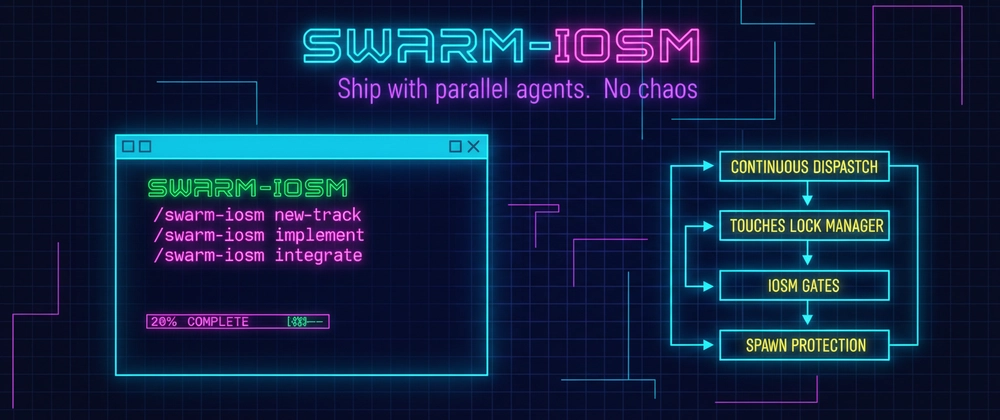
Parallel Orchestration Engine for Claude Code with Built-in Quality Gates




Features • Quick Start • Architecture • Documentation • Use Cases • Contributing
Swarm-IOSM is an advanced orchestration engine for Claude Code that transforms complex development tasks into coordinated parallel work streams with enforced quality standards.
It implements the IOSM methodology (Improve → Optimize → Shrink → Modularize) as an executable system for parallel AI agent coordination, combining:
Core Model:
Touches → Locks → Gates → DoneA correctness model for parallel agent work: declare what files you touch, acquire locks to prevent conflicts, pass quality gates, ship.
Traditional development workflows struggle with:
- Sequential bottlenecks — One task blocks the next, wasting time
- Context loss — Large features lack structured documentation
- Quality debt — No systematic enforcement of engineering standards
- Manual coordination — Developers spend time orchestrating instead of building
Swarm-IOSM solves these by:
- Parallelizing independent work streams (commonly 3–8x faster than sequential, depends on task independence)
- Enforcing IOSM quality gates before merge
- Automating task decomposition and subagent coordination
- Tracking all decisions and artifacts for full traceability
To set clear expectations:
# Install
git clone https://github.com/rokoss21/swarm-iosm.git .claude/skills/swarm-iosm

# In Claude Code
/swarm-iosm setup
/swarm-iosm new-track "Add JWT authentication"
What you get:
- swarm/tracks/<id>/PRD.md — Requirements document
- swarm/tracks/<id>/plan.md — Task breakdown with dependencies
- swarm/tracks/<id>/reports/ — Subagent execution reports (after /swarm-iosm implement)
- swarm/tracks/<id>/integration_report.md — Merge plan & results
- swarm/tracks/<id>/iosm_report.md — Quality gate evaluation
See complete example: examples/demo-track/ — Full track from PRD to merge (7 tasks, Redis caching feature)
| Feature | Description | Benefits |
|---|---|---|
| Continuous Dispatch Loop | Tasks launch immediately when dependencies are met | No artificial wave barriers, maximum parallelism |
| Parallel Subagent Execution | Up to 8 simultaneous background/foreground agents | Often 3-8x faster than sequential execution |
| IOSM Quality Gates | Automated checks for code quality, performance, complexity | Quality-gated before merge |
| File Lock Management | Hierarchical conflict detection (file/folder) | Safe parallel writes, prevents merge conflicts |
| Auto-Spawn from Discoveries | Subagents report new work → orchestrator schedules | Self-organizing workflow adaptation |
| Intelligent Error Recovery | Pattern-based diagnosis with suggested fixes | Auto-diagnosis with 3 retry limit |
| Cost & Budget Control | Token usage tracking with budget guardrails | Predictable API costs (default: $10 limit) |
| Checkpoint & Resume | Crash recovery from last known state | Fault-tolerant long-running tasks |
| Feature | Status | Command/Location |
|---|---|---|
| ✅ Inter-Agent Communication | Available in v2.0+ | shared_context.md auto-updated |
| ✅ Task Dependency Visualization | Available in v2.0+ | --graph flag in orchestration planner |
| ✅ Anti-Pattern Detection | Available in v2.0+ | Auto-warns during planning |
| ✅ Template Customization | Available in v2.0+ | Override in swarm/templates/ |
| ✅ Simulation Mode | Available in v1.3+ | /swarm-iosm simulate |
| ✅ Checkpoint & Resume | Available in v1.3+ | /swarm-iosm resume |
| 🧪 Live Monitoring | Experimental | /swarm-iosm watch (basic implementation) |
| 🗺️ IDE Integration | Roadmap | VS Code extension planned |
| 🗺️ CI/CD Templates | Roadmap | GitHub Actions / GitLab CI examples |
┌──────────────────────────────────────────────────────────────────────┐
│                    ORCHESTRATOR (Main Claude Agent)                  │
│  ┌─────────────────────────────────────────────────────────────────┐ │
│  │              Continuous Dispatch Loop (v1.1+)                   │ │
│  │  ┌──────────┐  ┌──────────┐  ┌──────────┐  ┌──────────────────┐ │ │
│  │  │ Collect  │→ │ Classify │→ │ Conflict │→ │ Dispatch Batch   │ │ │
│  │  │  Ready   │  │  Modes   │  │  Check   │  │ (max 3-6 tasks)  │ │ │
│  │  └──────────┘  └──────────┘  └──────────┘  └──────────────────┘ │ │
│  │       ↑                                           │             │ │
│  │       │        ┌──────────┐  ┌──────────┐         ↓             │ │
│  │       └────────│  IOSM    │←─│ Auto-    │←────────┘             │ │
│  │                │  Gates   │  │ Spawn    │                       │ │
│  │                └──────────┘  └──────────┘                       │ │
│  └─────────────────────────────────────────────────────────────────┘ │
│                                   │                                  │
│               ┌───────────────────┼───────────────────┐              │
│               ↓                   ↓                   ↓              │
│  ┌────────────────────┐ ┌────────────────────┐ ┌─────────────────┐   │
│  │   Subagent (BG)    │ │   Subagent (BG)    │ │  Subagent (FG)  │   │
│  │   Explorer         │ │   Implementer-A    │ │  Architect      │   │
│  │   read-only        │ │   write-local      │ │  needs_user     │   │
│  └────────────────────┘ └────────────────────┘ └─────────────────┘   │
│               │                   │                   │              │
│               ↓                   ↓                   ↓              │
│         reports/T01.md      reports/T02.md      reports/T03.md       │
│         + SpawnCandidates   + SpawnCandidates   + Escalations        │
└──────────────────────────────────────────────────────────────────────┘
┌────────────────────────────────────────────────────────────────────────────┐
│                           IOSM FRAMEWORK                                   │
│                   https://github.com/rokoss21/IOSM                         │
├────────────────────────────────────────────────────────────────────────────┤
│                                                                            │
│    ┌──────────┐    ┌──────────┐    ┌──────────┐    ┌──────────────────┐    │
│    │ IMPROVE  │ →  │ OPTIMIZE │ →  │  SHRINK  │ →  │   MODULARIZE     │    │
│    │          │    │          │    │          │    │                  │    │
│    │ Clarity  │    │ Speed    │    │ Simplify │    │ Decompose        │    │
│    │ No dups  │    │ Resil.   │    │ Surface  │    │ Contracts        │    │
│    │ Invars   │    │ Chaos    │    │ Deps     │    │ Coupling         │    │
│    └────┬─────┘    └────┬─────┘    └────┬─────┘    └────────┬─────────┘    │
│         │               │               │                   │              │
│    ┌────▼─────┐    ┌────▼─────┐    ┌────▼─────┐    ┌────────▼─────────┐    │
│    │ Gate-I   │    │ Gate-O   │    │ Gate-S   │    │     Gate-M       │    │
│    │ ≥0.85    │    │ ≥0.75    │    │ ≥0.80    │    │     ≥0.80        │    │
│    └──────────┘    └──────────┘    └──────────┘    └──────────────────┘    │
│                                                                            │
│    IOSM-Index = (Gate-I + Gate-O + Gate-S + Gate-M) / 4                    │
│    Production threshold: ≥ 0.80                                            │
└────────────────────────────────────────────────────────────────────────────┘
┌──────────┐
│ backlog  │  All known tasks
└────┬─────┘
     │ dependencies satisfied
     ↓
┌──────────┐
│  ready   │  Eligible for dispatch
└────┬─────┘
     │ no file conflicts
     ├─────────────────┬─────────────────┐
     ↓                 ↓                 ↓
┌──────────┐    ┌──────────────┐   ┌──────────────────┐
│ running  │    │ blocked_user │   │ blocked_conflict │
│(BG or FG)│    │needs decision│   │ file lock held   │
└────┬─────┘    └──────────────┘   └──────────────────┘
     │ completes                          │ lock released
     ↓                                    ↓
┌──────────┐                         ┌──────────┐
│   done   │←────────────────────────│  ready   │
└──────────┘                         └──────────┘
     │ spawn candidates
     ↓
┌──────────┐
│ backlog  │  (auto-spawned tasks)
└──────────┘
See the 60-Second Demo above for immediate hands-on, or follow the complete guide:
📖 Full Tutorial: QUICKSTART.md
Key Commands:
/swarm-iosm setup              # Initialize project
/swarm-iosm new-track "..."    # Create feature track
/swarm-iosm implement          # Execute plan
/swarm-iosm integrate <id>     # Merge & run quality gates
Need help? See TROUBLESHOOTING.md for common issues.
| Document | Purpose | Audience |
|---|---|---|
| SKILL.md | Complete specification (1330+ lines) | Advanced users, contributors |
| QUICKSTART.md | 5-minute intro with examples | First-time users |
| RUNBOOK.md | Manual orchestration operations | Power users |
| VALIDATION.md | Installation & config checklist | DevOps, QA |
| TROUBLESHOOTING.md | Common issues & solutions | All users |
Located in templates/:
- prd.md — Product Requirements Document (10 sections)
- plan.md — Implementation plan with dependencies
- subagent_brief.md — Task instructions for subagents
- subagent_report.md — Structured output format
- iosm_gates.md — Quality gate criteria & scoring
- iosm_state.md — Live execution state tracker
- integration_report.md — Merge plan & conflict resolution
- shared_context.md — Inter-agent communication
- intake_questions.md — Requirements gathering
Located in scripts/:
- orchestration_planner.py — Generate dispatch plan from plan.md
- validate_plan.py — Check plan structure & dependencies
- summarize_reports.py — Aggregate subagent outputs
- merge_context.py — Update shared context from reports
- parse_errors.py — Error diagnosis & fix suggestions
- error_patterns.py — Known error patterns library
- errors.py — Error handling utilities
Scenario: Add complete email notification system to SaaS app
Workflow:
/swarm-iosm new-track "Add email notification system"
→ Intake (mode: greenfield, priority: quality)
→ PRD generation (15 min)
→ Decomposition:
   - T01: Design email templates (Architect, foreground)
   - T02: Implement SMTP service (Implementer-A, background)
   - T03: Add queue system (Implementer-B, background, parallel with T02)
   - T04: Write integration tests (TestRunner, background, after T02+T03)
   - T05: Add API endpoints (Implementer-C, background, after T02)
→ Execute (4-6 hours parallel, vs 12-15h serial)
→ IOSM gates: All pass (Gate-I: 0.92, Gate-O: 0.88, Gate-S: 0.85, Gate-M: 0.90)
→ Deploy with confidence
Results:
- ⚡ ~3x faster (4-6h parallel vs 12-15h sequential)
- ✅ 100% test coverage (Gate-O enforcement)
- 📉 Minimal technical debt (Gate-I: 0.92 clarity score)
- 🔄 Full rollback plan auto-generated
Scenario: Refactor legacy payment processing module (5000+ LOC, 3 years old)
Workflow:
/swarm-iosm new-track "Refactor payment processing"
→ Plan mode exploration (T00: Explorer analyzes codebase)
→ PRD with rollback strategy
→ Decomposition:
   - T01: Map existing payment flows (Explorer, background, read-only)
   - T02: Design new module boundaries (Architect, foreground)
   - T03: Write comprehensive regression tests (TestRunner, background, after T01)
   - T04: Implement new PaymentService (Implementer-A, background, after T02+T03)
   - T05: Migrate first payment method (Implementer-B, background, after T04)
   - T06: Security audit (SecurityAuditor, foreground, after T05)
   - T07: Performance benchmark (PerfAnalyzer, background, after T05)
→ Gate-M fails (circular dependency detected)
→ Auto-spawn: T08 "Break circular import between Payment and Invoice"
→ Re-check Gate-M: Pass
→ Integrate with rollback guide
Results:
- 🎯 Gate-driven quality — Forced resolution of hidden issues
- 🔒 Safe refactor — All tests passing before merge
- 📊 Measured improvement — 40% reduction in module coupling
- 🗺️ Clear rollback path — Database + code revert instructions
Scenario: Add multi-tenant architecture (affects 8 modules)
Workflow:
/swarm-iosm new-track "Multi-tenant architecture"
→ PRD: 20+ tasks identified
→ Orchestration plan:
   - Wave 1: T01 Design schema (Architect, foreground, critical path)
   - Wave 2: T02-T04 Database migration scripts (Implementer-A,B,C, parallel, after T01)
   - Wave 3: T05-T10 Update 6 modules (6 Implementers, parallel, after Wave 2)
   - Wave 4: T11-T15 Tests (5 TestRunners, parallel, after Wave 3)
   - Wave 5: T16 Integration (Integrator, foreground, after Wave 4)
→ Execute with continuous dispatch (no wave barriers)
→ T05 spawns SC-01: "Add tenant_id index to sessions table" (auto-spawn)
→ Cost tracking: $6.50 / $10.00 budget used
→ IOSM Index: 0.82 (above threshold)
Results:
- 📈 High parallelism — 6 modules updated simultaneously
- 💰 Budget control — $6.50 spent (within $10 limit)
- 🔍 Auto-discovery — 3 critical tasks auto-spawned from findings
- ⏱️ Time savings — ~18h parallel vs 60h+ sequential (example track)
Each track enforces 4 quality gates before merge:
semantic_coherence: ≥0.95  # Clear naming, no magic numbers
duplication_max: ≤0.05     # Max 5% duplicate code
invariants_documented: true # Pre/post-conditions
todos_tracked: true        # All TODOs in issue tracker
Measured by:
- AST analysis (identifiers, literals)
- Clone detection (structural similarity)
- Docstring coverage
latency_ms:
  p50: ≤100
  p95: ≤200
  p99: ≤500
error_budget_respected: true
chaos_tests_pass: true
no_obvious_inefficiencies: true  # N+1 queries, memory leaks
Measured by:
- Load testing (locust, k6)
- Chaos engineering (kill processes, network faults)
- Profiling (py-spy, perf)
api_surface_reduction: ≥0.20  # Or justified growth
dependency_count_stable: true
onboarding_time_minutes: ≤15
Measured by:
- Public API endpoint/function count
- requirements.txt / package.json diff
- README clarity test
contracts_defined: 1.0       # 100% of modules
change_surface_max: 0.20     # ≤20% of codebase touched
no_circular_deps: true
coupling_acceptable: true
Measured by:
- Dependency graph analysis
- Interface stability metrics
- Import cycle detection
IOSM-Index = (Gate-I + Gate-O + Gate-S + Gate-M) / 4

Production Threshold: ≥ 0.80
Auto-spawn rules:
- If Gate-I < 0.75 → Spawn clarity/duplication fixes
- If Gate-O fails → Spawn test/performance fixes
- If Gate-M fails → Spawn boundary clarification tasks
| Command | Description | Mode |
|---|---|---|
/swarm-iosm setup |
Initialize project context | Auto |
/swarm-iosm new-track "<desc>" |
Create feature track with PRD | Auto |
/swarm-iosm implement [track-id] |
Execute implementation plan | Auto |
/swarm-iosm status [track-id] |
Check progress & errors | Read-only |
/swarm-iosm watch [track-id] |
Live monitoring dashboard (v1.3) | Read-only |
/swarm-iosm simulate [track-id] |
Dry-run with timeline (v1.3) | Read-only |
/swarm-iosm resume [track-id] |
Resume from checkpoint (v1.3) | Auto |
/swarm-iosm retry <task-id> [opts] |
Retry failed task (v1.2) | Auto |
/swarm-iosm integrate <track-id> |
Merge work + run IOSM gates | Auto |
/swarm-iosm revert-plan <track-id> |
Generate rollback guide | Read-only |
Retry Options:
- --foreground — Run interactively for debugging
- --reset-brief — Regenerate task brief from scratch
| Role | Purpose | Concurrency | Tools | When to Use |
|---|---|---|---|---|
| Explorer | Codebase analysis, IOSM baseline | read-only |
Read, Grep, Glob | Brownfield projects, initial assessment |
| Architect | Design decisions, API contracts | write-local |
Read, Write (docs) | Complex features, architectural changes |
| Implementer-{A,B,C} | Parallel implementation | write-local |
Read, Write, Edit, Bash | Independent modules |
| TestRunner | Gate-O verification | read-only |
Read, Bash | After implementation, before merge |
| SecurityAuditor | Gate-I security invariants | read-only |
Read, Grep, Bash | Auth, payments, PII handling |
| PerfAnalyzer | Gate-O performance | read-only |
Read, Bash (profiling) | High-traffic features, data processing |
| DocsWriter | Gate-S onboarding | write-local |
Read, Write, Edit | Public APIs, user-facing features |
| Class | Lock Behavior | Parallel Execution | Example |
|---|---|---|---|
read-only |
No lock | Always parallel | Code analysis, tests |
write-local |
Lock on touches |
Parallel if no overlap | Module implementation |
write-shared |
Exclusive lock | Sequential only | Database migrations |
Swarm-IOSM automatically selects the optimal model:
| Model | Use Case | Cost (input/output per 1M tokens) |
|---|---|---|
| Haiku | Read-only analysis, simple tasks | $0.25 / $1.25 |
| Sonnet | Standard implementation, tests | $3.00 / $15.00 |
| Opus | Architecture, security, critical decisions | $15.00 / $75.00 |
Default limits:
- max_parallel_background: 6
- max_parallel_foreground: 2
- max_total_parallel: 8
- cost_limit_per_track: $10.00
Budget alerts:
- ⚠️ 80% usage → Warning notification
- 🛑 100% usage → Pause execution, await user decision
Check current spend:
cat swarm/tracks/<id>/iosm_state.md | grep -A5 "Cost Tracking"
Traditional orchestration waits for entire "waves" to complete. Swarm-IOSM dispatches tasks immediately when dependencies are satisfied.
Before (Wave-based):
Wave 1: [T01, T02, T03] → Wait for ALL to finish
Wave 2: [T04, T05] → Can't start until Wave 1 done
After (Continuous Dispatch):
T01 done → T04 starts immediately (even if T02, T03 still running)
while not gates_met:
    # 1. Collect ready tasks (deps satisfied, no conflicts)
    ready = [t for t in backlog if deps_satisfied(t) and not conflicts(t)]

    # 2. Classify by mode (background vs foreground)
    bg = [t for t in ready if can_auto_background(t)]
    fg = [t for t in ready if needs_user_input(t)]

    # 3. Dispatch batch (max 3-6 tasks)
    launch_parallel(bg[:6], mode='background')
    launch_parallel(fg[:2], mode='foreground')

    # 4. Monitor & spawn
    for report in collect_completed():
        spawn_candidates = parse_spawn_candidates(report)
        backlog.extend(deduplicate(spawn_candidates))

    # 5. Check gates
    if all_gates_pass():
        break
Lock Granularity:
Lock on FOLDER (core/) conflicts with:
  ├── Any lock inside (core/a.py, core/b.py)
  └── Lock on same folder (core/)

Lock on FILE (core/a.py) conflicts with:
  ├── Same file only
  └── Parent folder lock (core/)
Conflict Matrix Example:
## Lock Plan

Tasks with overlapping touches (sequential only):
- `backend/core/__init__.py`: T03, T04 → ❌ Cannot run parallel
- `backend/api/`: T05, T06 → ❌ Folder conflict

Safe parallel execution:
- `backend/auth.py` (T02) + `backend/payments.py` (T07) → ✅ No overlap
Problem: Read-only tasks may accidentally write to caches, lockfiles, __pycache__.
Solution:
1. Read-only tasks write temp files ONLY to swarm/tracks/<id>/scratch/
2. Use --dry-run flags where available
3. Never run npm install, pip install in read-only mode
When a task fails, Swarm-IOSM provides:
- Error type (e.g., Permission Denied, Import Error)
- Affected file with line number
- Root cause analysis
- 2-4 suggested fixes ranked by likelihood
- Retry command with appropriate flags
Example:
❌ T04 Failed: Permission Denied

File: backend/migrations/001.sql
Cause: Database user lacks CREATE TABLE privilege

Suggested fixes:
1. GRANT CREATE ON DATABASE app TO user; (High confidence)
2. Run migration as admin: sudo -u postgres psql (Medium)
3. Split into smaller migrations (Low)

Retry: /swarm-iosm retry T04 --foreground
| Error Type | Auto-Fix | Mode | Max Retries |
|---|---|---|---|
| Permission Denied | No | Foreground | 3 |
| Import Error | Yes (pip install) | Background | 3 |
| Test Failed | No | Foreground | 3 |
| MCP Tool Unavailable | No | Foreground | 1 |
| File Not Found | Maybe | Foreground | 3 |
| Timeout | No | Foreground | 2 |
Retry workflow:
# Standard retry
/swarm-iosm retry T04

# Force interactive debugging
/swarm-iosm retry T04 --foreground

# Regenerate brief (fresh start)
/swarm-iosm retry T04 --reset-brief
# Validate plan structure
python scripts/orchestration_planner.py plan.md --validate

# Generate continuous dispatch plan
python scripts/orchestration_planner.py plan.md --continuous

# Simulate execution (dry-run)
/swarm-iosm simulate <track-id>
# Summarize reports
python scripts/summarize_reports.py swarm/tracks/<id>

# Check IOSM gates
/swarm-iosm integrate <track-id>

# Verify no circular deps
grep -A10 "Gate-M" swarm/tracks/<id>/iosm_report.md
The theoretical foundation. See IOSM Repository for:
- Complete specification (algorithm, gates, metrics)
- iosm.yaml configuration schema
- CI/CD integration patterns (GitHub Actions, GitLab CI)
- Language-specific checkers (Python, Rust, TypeScript)
The Claude Code execution engine implementing IOSM for parallel agent orchestration.
For deterministic AI contracts, see:
- FACET Standard — Contract Layer for AI
- FACET Compiler — Reference Implementation (Rust)
- FACET Agents — Conformance Test Agents
- FACET MCP Server — Protocol Adapter
.claude/skills/swarm-iosm/
├── SKILL.md                    # Main skill definition (1330+ lines)
├── README.md                   # This file
├── QUICKSTART.md               # 5-minute tutorial
├── RUNBOOK.md                  # Manual orchestration operations
├── VALIDATION.md               # Installation checklist
├── TROUBLESHOOTING.md          # Common issues & solutions
├── LICENSE                     # MIT License
├── CONTRIBUTING.md             # Contribution guidelines
│
├── templates/                  # Progressive disclosure templates
│   ├── prd.md                  # Product Requirements Document
│   ├── plan.md                 # Implementation plan
│   ├── subagent_brief.md       # Task instructions
│   ├── subagent_report.md      # Structured output
│   ├── iosm_gates.md           # Quality gate criteria
│   ├── iosm_state.md           # Live execution state
│   ├── integration_report.md   # Merge plan
│   ├── shared_context.md       # Inter-agent communication
│   └── intake_questions.md     # Requirements gathering
│
├── scripts/                    # Automation scripts
│   ├── orchestration_planner.py # Generate dispatch plan
│   ├── validate_plan.py        # Plan structure validation
│   ├── summarize_reports.py    # Aggregate outputs
│   ├── merge_context.py        # Update shared context
│   ├── parse_errors.py         # Error diagnosis
│   ├── error_patterns.py       # Known error patterns
│   └── errors.py               # Error handling utilities
│
└── examples/                   # Demo tracks
    └── demo-track/             # Example project
        ├── plan.md
        ├── continuous_dispatch_plan.md
        ├── iosm_state.md
        └── reports/

swarm/                          # Project workflow data (auto-created)
├── context/                    # Project metadata
│   ├── product.md              # Product overview
│   ├── tech-stack.md           # Technology stack
│   └── workflow.md             # Development workflow
│
├── tracks/                     # Feature tracks
│   └── YYYY-MM-DD-NNN/         # Track directory
│       ├── intake.md           # Requirements intake
│       ├── PRD.md              # Product requirements
│       ├── spec.md             # Technical specification
│       ├── plan.md             # Implementation plan
│       ├── metadata.json       # Track metadata
│       ├── continuous_dispatch_plan.md  # Execution plan
│       ├── iosm_state.md       # Live state (auto-updated)
│       ├── shared_context.md   # Inter-agent knowledge
│       ├── reports/            # Subagent reports
│       │   ├── T01.md
│       │   ├── T02.md
│       │   └── ...
│       ├── checkpoints/        # Crash recovery
│       │   └── latest.json
│       ├── integration_report.md  # Merge plan
│       ├── iosm_report.md      # Quality gate results
│       └── rollback_guide.md   # Revert instructions
│
└── tracks.md                   # Track registry
We welcome contributions! Key areas:
examples/iosm.yaml configurationsSee CONTRIBUTING.md for guidelines.
iosm_state.md)--update-task)shared_context.md)--graph)/swarm-iosm simulate) with ASCII Timeline/swarm-iosm watch)/swarm-iosm resume)/swarm-iosm retry)iosm_state.md Progress TrackingEmil Rokossovskiy (@rokoss21)
AI & Platform Engineer | Equilibrium LLC
Creator of:
- IOSM Methodology — Reproducible system improvement
- FACET Ecosystem — Deterministic Contract Layer for AI
- Swarm-IOSM — This project
📧 Email: [email protected]
🌐 Web: rokoss21.tech
MIT License — Copyright (c) 2026 Emil Rokossovskiy
| Project | Description | Status |
|---|---|---|
| IOSM | The methodology Swarm-IOSM implements | Active |
| FACET Standard | Deterministic Contract Layer for AI | Active |
| FACET Compiler | Reference Compiler (Rust) | Active |
| FACET Agents | Conformance Test Agents | Active |
| FACET MCP Server | Protocol Adapter | Active |
IOSM: Improve → Optimize → Shrink → Modularize
Orchestrate complexity. Enforce quality. Ship faster.
Made with ⚡ by @rokoss21
Refactor high-complexity React components in Dify frontend. Use when `pnpm analyze-component...
Trigger when the user requests a review of frontend files (e.g., `.tsx`, `.ts`, `.js`). Support...
Generate Vitest + React Testing Library tests for Dify frontend components, hooks, and...
Guide for implementing oRPC contract-first API patterns in Dify frontend. Triggers when creating...
This skill is compatible with the SKILL.md standard and works with all major AI coding agents:
Learn more about the SKILL.md standard and how to use these skills with your preferred AI coding agent.