OpenClaw Skills Installation & Configuration Guide - Step by Step
OpenClaw Skills are modular extensions that teach the AI agent how to interact with external...
Stop copying files manually. Install AI agent skills like npm packages. Supports: Antigravity, Claude Code, Codex, Cursor, Gemini CLI, GitHub Copilot, Windsurf and others
You've found the perfect skill for your AI coding assistant. Now what?
The old way:
git clone https://github.com/someone/skills
cp -r skills/amazing-skill ~/.claude/skills/
# Repeat for Cursor
cp -r skills/amazing-skill ~/.cursor/skills/
# Repeat for Copilot
cp -r skills/amazing-skill ~/.copilot/skills/
# Update? Do it all again.
The new way:
npx add-skill someone/skills
# Done. Works everywhere. Updates with one command.
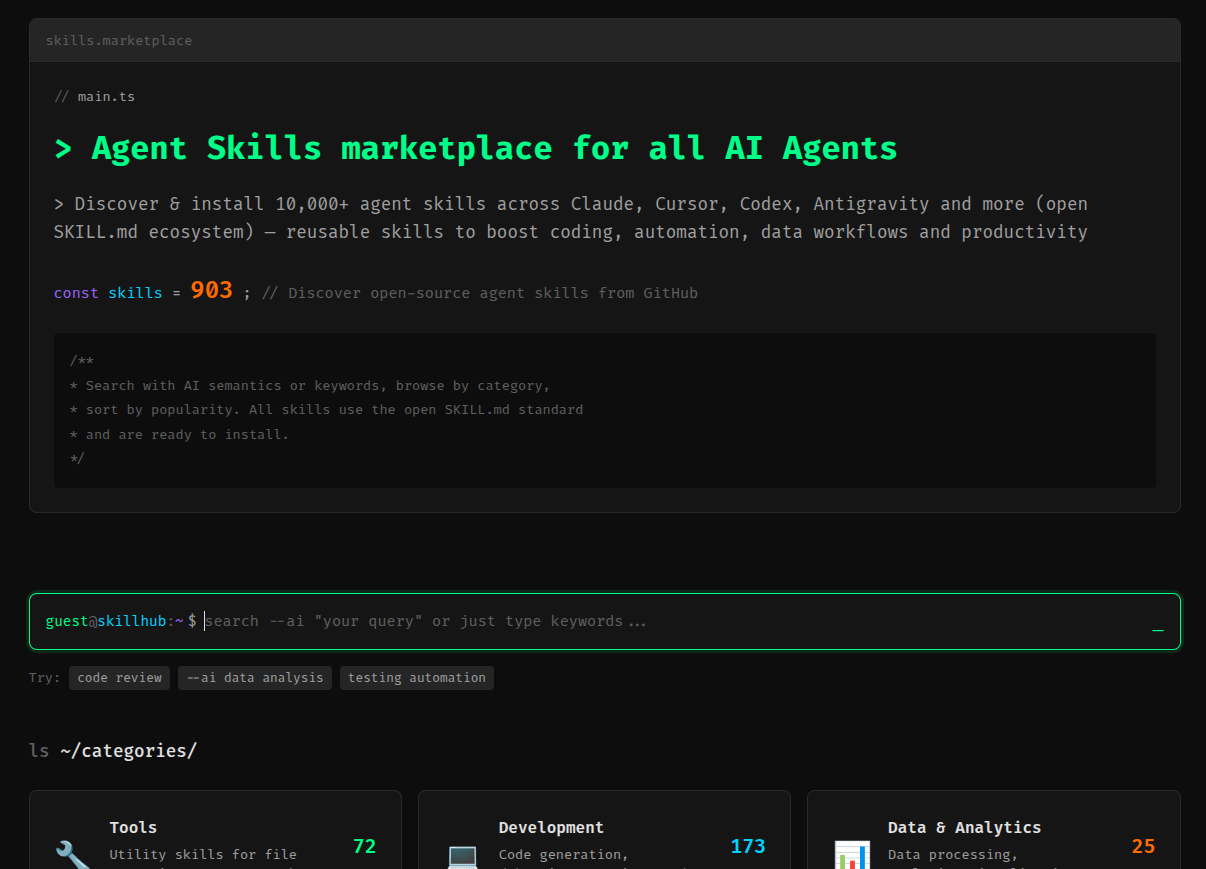
How to Find the Best Agent Skills on agentskillsrepo.com
Start by browsing skills by category such as Frontend, Database, Cloud, or Context Engineering. Use search keywords to quickly find skills by technology, use case, or workflow. Each Agent Skill includes a clear description, usage guidance, and examples to help you decide if it fits your needs. Focus on skills with practical instructions and real-world use cases, and combine multiple skills to build, optimize, or debug production-ready agent systems efficiently.
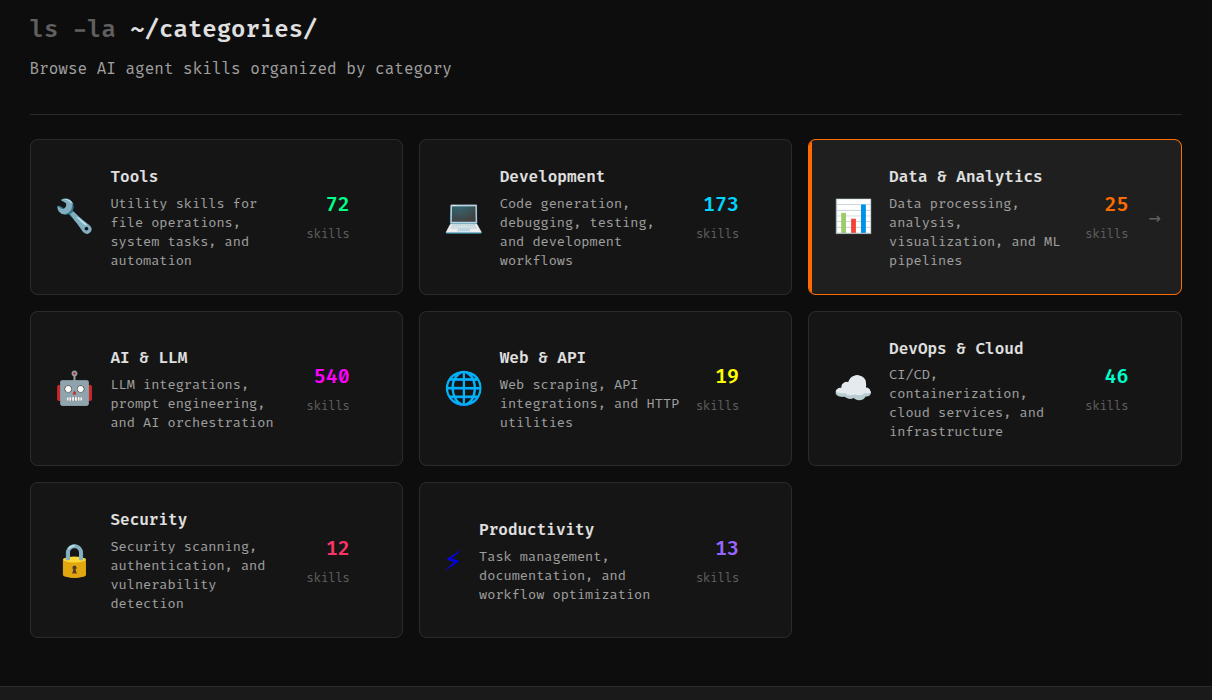
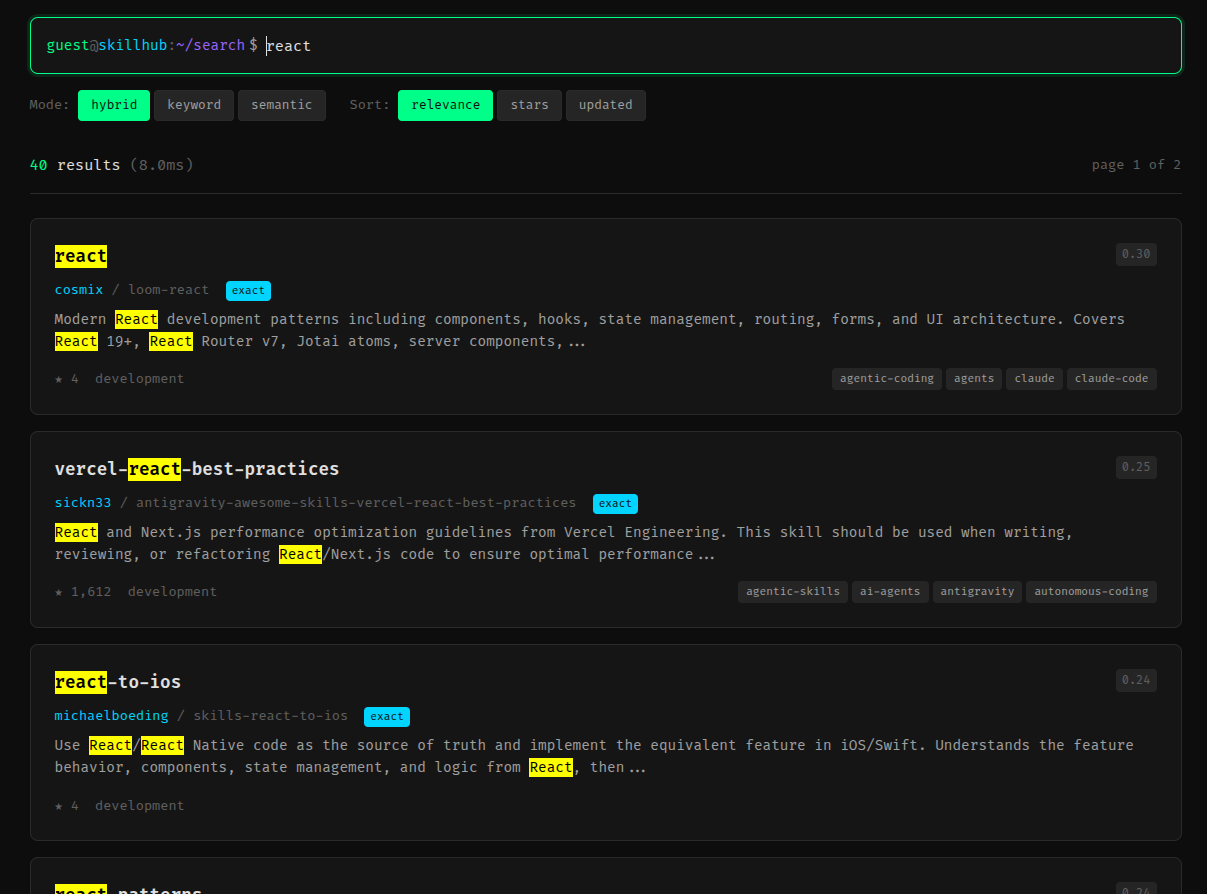
There are several tools for managing Agent Skills, each with different strengths:
| Tool | Best For | Install Command | Key Features |
|---|---|---|---|
| add-skill | Quick installs from GitHub | npx add-skill |
Auto-detects agents, supports 4+ platforms |
| SkillPort | Multi-project management via MCP | uv tool install skillport |
MCP server, progressive loading, filtering |
| openskills | Claude Code compatibility | npx openskills |
AGENTS.md generation, sync command |
| skills (npm) | Universal installer | npx skills add |
40K+ marketplace skills, 10+ platforms |
Quick recommendation: Start with add-skill for simplicity. Upgrade to SkillPort if you need MCP or multi-project filtering.
The quick-start choice. Zero config, auto-detects your agents, one command to rule them all.
# No installation needed - use via npx
npx add-skill <source>
✅ Auto-detection - Finds which agents you have installed
✅ Multi-source - GitHub URLs, local paths, direct repos
✅ Multi-agent - Cursor, Claude Code, Codex, OpenCode
✅ Selective install - Pick specific skills from a repo
✅ Global & local - Install project-wide or user-wide
# Install from GitHub (simplest)
npx add-skill vercel-labs/agent-skills

# See what's available first
npx add-skill vercel-labs/agent-skills --list

# Install specific skills only
npx add-skill vercel-labs/agent-skills --skill frontend-design --skill skill-creator

# Install to specific agents
npx add-skill vercel-labs/agent-skills -a cursor -a claude-code

# Global installation (home directory)
npx add-skill vercel-labs/agent-skills --global

# Non-interactive mode (great for CI/CD)
npx add-skill vercel-labs/agent-skills -y
# GitHub shorthand
npx add-skill vercel-labs/agent-skills

# Full GitHub URL
npx add-skill https://github.com/vercel-labs/agent-skills

# Specific skill in a repo
npx add-skill https://github.com/vercel-labs/agent-skills/tree/main/skills/frontend-design

# GitLab
npx add-skill https://gitlab.com/org/repo

# Any Git URL
npx add-skill [email protected]:vercel-labs/agent-skills.git

# Local directory
npx add-skill ./my-skills
Project-level (default):
.
├── .opencode/skill/<skill-name>/
├── .claude/skills/<skill-name>/
├── .codex/skills/<skill-name>/
└── .cursor/skills/<skill-name>/
Global (--global):
~/.config/opencode/skill/<skill-name>/
~/.claude/skills/<skill-name>/
~/.codex/skills/<skill-name>/
~/.cursor/skills/<skill-name>/
npx add-skill <source> [options]

Options:
  -g, --global              Install to user directory
  -a, --agent <agents...>   Target agents: opencode, claude-code, codex, cursor
  -s, --skill <skills...>   Install specific skills by name
  -l, --list                List available skills without installing
  -y, --yes                 Skip confirmation prompts
  -V, --version             Show version
  -h, --help                Show help
# List skills in a repo
npx add-skill anthropics/skills --list

# Install multiple skills to multiple agents
npx add-skill anthropics/skills \
  --skill pdf --skill docx \
  -a cursor -a claude-code

# Global install, non-interactive (for dotfiles)
npx add-skill vercel-labs/agent-skills -g -y

# Install everything from a repo
npx add-skill anthropics/skills -y
✅ You want the simplest possible experience
✅ You're installing from GitHub repos
✅ You use 1-4 different agents
✅ You don't need advanced filtering or MCP
✅ You want zero configuration
The enterprise choice. MCP server, progressive loading, multi-client filtering, and advanced management.
# Install the CLI
uv tool install skillport
# or
pip install skillport

# Update
uv tool upgrade skillport
✅ MCP Server - Serve skills to any MCP-compatible agent
✅ Progressive Loading - Skills load on-demand, not upfront
✅ Smart Filtering - Show different skills to different clients
✅ Category & Tags - Organize 100+ skills easily
✅ CLI Management - Add, update, remove, search, validate
✅ BM25 Search - Find skills by semantic similarity
MCP Mode (Recommended)
- One skills directory serves all agents
- Progressive loading via search_skills() and load_skill()
- Per-client filtering
- Best for: Multi-project setups
CLI Mode
- Skills documented in AGENTS.md
- Load via skillport show <id>
- No MCP configuration needed
- Best for: Single project, quick setup
# 1. Add skills
skillport add hello-world
skillport add https://github.com/anthropics/skills/tree/main/skills

# 2. Add to your MCP client
# Cursor (one-click):
# Click the "Install MCP Server" button at https://github.com/gotalab/skillport

# Or add manually to your MCP config:
{
  "mcpServers": {
    "skillport": {
      "command": "uvx",
      "args": ["skillport"],
      "env": {
        "SKILLPORT_SKILLS_DIR": "~/.skillport/skills"
      }
    }
  }
}

# 3. Use it
# In your agent: "Search for hello-world and run it"
# 1. Initialize your project
skillport init
# → Select skills directory interactively
# → Generates AGENTS.md with skills table

# 2. Add skills (uses directory from .skillportrc)
skillport add hello-world
skillport add anthropics/skills

# 3. Your agent reads AGENTS.md, then runs:
# skillport show <skill-id>
Project Setup:
skillport init              # Initialize project (.skillportrc, AGENTS.md)
skillport doc               # Update AGENTS.md when skills change
skillport doc --all         # Update all instruction files in .skillportrc
Skill Management:
skillport add <source>      # Install from GitHub, local, zip, or built-in
skillport add anthropics/skills
skillport add https://github.com/anthropics/skills/tree/main/skills
skillport add ./my-skills
skillport add skill.zip

skillport update [id]       # Update skills from original sources
skillport list              # See installed skills
skillport remove <id>       # Uninstall a skill
skillport lint [id]         # Validate SKILL.md files
Discovery:
skillport search <query>    # Find skills by description
skillport search "pdf extraction"

skillport show <id>         # View full skill details and instructions
skillport show pdf-processor
Path Overrides:
# Override skills directory per command
skillport --skills-dir ./custom-skills add hello-world

# Or use environment variable
export SKILLPORT_SKILLS_DIR=./custom-skills
skillport add hello-world
Serve different skills to different AI agents:
{
  "mcpServers": {
    "skillport-dev": {
      "command": "uvx",
      "args": ["skillport"],
      "env": {
        "SKILLPORT_SKILLS_DIR": "~/.skillport/skills",
        "SKILLPORT_ENABLED_CATEGORIES": "development,testing"
      }
    },
    "skillport-writing": {
      "command": "uvx",
      "args": ["skillport"],
      "env": {
        "SKILLPORT_SKILLS_DIR": "~/.skillport/skills",
        "SKILLPORT_ENABLED_CATEGORIES": "writing,research"
      }
    }
  }
}
| Variable | Description | Default |
|---|---|---|
SKILLPORT_SKILLS_DIR |
Skills directory | ~/.skillport/skills |
SKILLPORT_ENABLED_CATEGORIES |
Filter by category (comma-separated) | all |
SKILLPORT_ENABLED_SKILLS |
Filter by skill ID (comma-separated) | all |
SKILLPORT_ENABLED_NAMESPACES |
Filter by namespace (comma-separated) | all |
SKILLPORT_CORE_SKILLS_MODE |
Core skills behavior (auto/explicit/none) |
auto |
SKILLPORT_CORE_SKILLS |
Core skill IDs for explicit mode |
none |
Add to your SKILL.md frontmatter:
---
name: my-skill
description: What this skill does
metadata:
  skillport:
    category: development      # For filtering
    tags: [testing, quality]   # For search
    alwaysApply: true          # Core skill - always available
---
✅ You manage 10+ projects with different skill needs
✅ You want MCP integration
✅ You need per-client skill filtering
✅ You have 50+ skills and need organization
✅ You want progressive loading (skills loaded on-demand)
✅ You need search and discovery features
The Claude Code compatibility choice. Same format, same structure, AGENTS.md generation.
# No installation needed
npx openskills <command>

# Or install globally
npm install -g openskills
✅ Claude Code Compatible - Exact same format and structure
✅ AGENTS.md Generation - Works with any agent that reads AGENTS.md
✅ Progressive Disclosure - Load skills on-demand
✅ Repository Friendly - Skills live in your project
✅ Private Repos - Install from private Git repos
# Install skills
npx openskills install anthropics/skills

# Generate AGENTS.md
npx openskills sync

# Read a skill (load full instructions)
npx openskills read skill-name

# Update installed skills
npx openskills update
openskills install <source>   # Install skills from GitHub/local
openskills sync               # Generate AGENTS.md
openskills read <name>        # Load skill instructions
openskills update [name]      # Update skills from source
openskills list               # Show installed skills
openskills remove <name>      # Uninstall a skill
Default (Project-local):
npx openskills install anthropics/skills
# → Installs to ./.claude/skills/
Universal (.agent/skills):
npx openskills install anthropics/skills --universal
# → Installs to ./.agent/skills/
# Compatible with more agents, avoids conflicts with Claude's marketplace
Global (Home directory):
npx openskills install anthropics/skills --global
# → Installs to ~/.claude/skills/
.claude/skills/ or .agent/skills/AGENTS.md with skills tablenpx openskills read <skill> to load full instructions<skills_system>
<usage>
How to use skills:
- Invoke: `npx openskills read <skill-name>`
- The skill content will load with detailed instructions
- Base directory provided for resolving resources
</usage>
<available_skills>
<skill>
<n>pdf</n>
<description>Comprehensive PDF manipulation toolkit...</description>
<location>project</location>
</skill>
<skill>
<n>frontend-design</n>
<description>Review UI code for web best practices...</description>
<location>project</location>
</skill>
</available_skills>
</skills_system>
✅ You use Claude Code and want same format everywhere
✅ You want skills in your Git repository
✅ You need AGENTS.md for agents without MCP
✅ You work with private Git repos
✅ You want progressive disclosure without MCP
The marketplace choice. Access to 40,000+ skills from the SkillsMP marketplace.
# No installation needed
npx skills <command>

# Or install globally
npm install -g skills
✅ 40K+ Skills - Access to SkillsMP marketplace
✅ 10+ Platforms - Claude, Cursor, Copilot, Codex, Antigravity, and more
✅ Interactive Search - Find skills by keyword
✅ Auto-detection - Finds installed agents automatically
✅ Batch Install - Install to all platforms at once
# Search and install interactively
npx skills search python

# Install a skill (auto-detects platforms)
npx skills install xlsx

# Install to specific platforms
npx skills install @anthropic/pdf -t claude,cursor

# Install globally
npx skills install pdf -g -t claude

# Install to all platforms
npx skills install docx --all
skills install <name>         # Install skill (auto-detect platforms)
skills install <name> -g      # Install globally
skills install <name> -t <agents>  # Target specific agents
skills install <name> --all   # Install to all 10 platforms
skills install <name> --list  # Show details without installing

skills add <repo>             # Install from Git repo
skills add owner/repo --list  # List skills in a repo

skills search <query>         # Interactive search
skills search <query> --json  # JSON output (non-interactive)

skills init <name>            # Create new skill from template
skills validate <path>        # Validate SKILL.md
skills export                 # Export skills to agents
skills sync                   # Sync to Antigravity workflows
skills info                   # Show installation status
The tool supports 10+ coding agents:
- Claude Code
- Cursor
- GitHub Copilot
- OpenAI Codex
- Antigravity
- OpenCode
- Windsurf
- Cline
- Roo Code
- Goose
Project-level (default):
.claude/skills/<name>/
.cursor/skills/<name>/
.copilot/skills/<name>/
.codex/skills/<name>/
.antigravity/skills/<name>/
# ... and 5+ more
Global (-g):
~/.claude/skills/<name>/
~/.cursor/skills/<name>/
~/.copilot/skills/<name>/
# ... etc
# Install to specific platforms
npx skills install xlsx -t claude,cursor

# Install from GitHub
npx skills add vercel-labs/agent-skills

# List skills in a repo
npx skills add anthropics/skills --list

# Search with JSON output
npx skills search react --json

# Create new skill
npx skills init my-awesome-skill
✅ You want access to 40K+ marketplace skills
✅ You use many different coding agents (5+)
✅ You want interactive search
✅ You need one tool that works everywhere
✅ You want to discover new skills easily
| Feature | add-skill | SkillPort | openskills | skills (npm) |
|---|---|---|---|---|
| Simplicity | ⭐⭐⭐⭐⭐ | ⭐⭐⭐ | ⭐⭐⭐⭐ | ⭐⭐⭐⭐ |
| MCP Support | ❌ | ✅ | ❌ | ❌ |
| Platforms | 4 | All (via MCP) | All (via AGENTS.md) | 10+ |
| Marketplace | ❌ | Limited | ❌ | 40K+ skills |
| Filtering | Basic | Advanced | Basic | Basic |
| Search | ❌ | BM25 | ❌ | Interactive |
| Progressive Loading | ❌ | ✅ | ✅ | ❌ |
| Zero Config | ✅ | ❌ | ✅ | ✅ |
| Multi-Project | ❌ | ✅ | ❌ | ❌ |
| Best For | Quick start | Enterprise | Claude Code | Discovery |
| Repository | Skills | Focus | Command |
|---|---|---|---|
| Anthropic Official | 10+ | Documents, design, MCP | npx add-skill anthropics/skills |
| Vercel Agent Skills | 5+ | React/Next.js performance | npx add-skill vercel-labs/agent-skills |
| Awesome Claude Skills | 100+ | Curated collection | Manual browsing |
| Repository | Skills | Focus | Command |
|---|---|---|---|
| Hugging Face | 20+ | ML/AI, datasets, training | npx add-skill huggingface/skills |
| Scientific Skills | 128+ | Biology, chemistry, ML | npx add-skill K-Dense-AI/claude-scientific-skills |
| ClaudeKit | 30+ | Auth, multimodal, frameworks | npx add-skill mrgoonie/claudekit-skills |
| Superpowers | 15+ | TDD, debugging, reviews | npx add-skill obra/superpowers |
| Kubernetes Ops | 10+ | K8s, DevOps, SRE | npx add-skill wshobson/agents/tree/main/plugins/kubernetes-operations |
1. Just want to try skills quickly?
→ Use add-skill
npx add-skill vercel-labs/agent-skills
2. Managing multiple projects with different skill sets?
→ Use SkillPort with MCP
uv tool install skillport
skillport add anthropics/skills
# Add to MCP config
3. Need exact Claude Code compatibility?
→ Use openskills
npx openskills install anthropics/skills
npx openskills sync
4. Want to discover skills from a marketplace?
→ Use skills (npm)
npx skills search react
npx skills install <skill-name>
5. Building a team setup with different skill needs per developer?
→ Use SkillPort with filtering
# Developer A gets development skills
# Developer B gets writing skills
# Configure via SKILLPORT_ENABLED_CATEGORIES
# 1. Install a skill collection
npx add-skill anthropics/skills

# 2. Try it with your agent
# In Cursor/Claude: "Use the pdf skill to extract text from this document"

# 3. Add more as needed
npx add-skill vercel-labs/agent-skills
# 1. Choose a shared directory structure
cd my-project
mkdir -p .agent/skills

# 2. Install skills for the team
npx add-skill anthropics/skills --skill pdf --skill docx
npx add-skill vercel-labs/agent-skills --skill frontend-design

# 3. Commit to Git
git add .agent/
git commit -m "Add agent skills for the team"

# 4. Team members pull and it just works
# 1. Install SkillPort
uv tool install skillport

# 2. Create skill collections
skillport add anthropics/skills
skillport add vercel-labs/agent-skills
skillport add huggingface/skills

# 3. Configure different MCP servers for different projects
# In project A: only development skills
# In project B: only ML/AI skills
# In project C: everything

# 4. All skills managed in one place
skillport list
skillport update
# 1. Search for skills interactively
npx skills search "pdf processing"

# 2. Preview before installing
npx add-skill anthropics/skills --list

# 3. Install to try it
npx skills install pdf

# 4. If it works, make it permanent
# Add to your dotfiles or team setup
Project-local (default):
- ✅ Skills versioned with your code
- ✅ Team shares same skills
- ✅ No global pollution
- ❌ Duplicate skills across projects
Global (--global or -g):
- ✅ Install once, use everywhere
- ✅ No duplication
- ❌ Not versioned with code
- ❌ Team might have different skills
Recommendation: Start project-local, go global for personal utilities.
# Development skills
.agent/skills/dev/
├── git-commit-formatter/
├── code-reviewer/
└── test-generator/

# Documentation skills
.agent/skills/docs/
├── pdf-extractor/
├── markdown-formatter/
└── api-doc-generator/

# Team-specific skills
.agent/skills/company/
├── deployment-pipeline/
├── security-checker/
└── company-standards/
# With add-skill: re-run the command
npx add-skill anthropics/skills

# With SkillPort: built-in update
skillport update

# With openskills: built-in update
npx openskills update
Do commit:
- .agent/skills/ or .claude/skills/ (project-local skills)
- .skillportrc (SkillPort config)
- AGENTS.md (skill documentation)
Don't commit:
- ~/.skillport/ (global skills)
- ~/.claude/ (personal skills)
Add to your README:
## AI Agent Skills

This project uses Agent Skills for AI coding assistants.

### Installation

```bash
# Option 1: add-skill
npx add-skill anthropics/skills

# Option 2: SkillPort
uv tool install skillport
skillport --skills-dir .agent/skills add anthropics/skills
pdf - PDF extraction and processingfrontend-design - UI best practices reviewgit-workflow - Git commit formattingAsk your AI agent: "Use the pdf skill to extract text from document.pdf"
---

## Troubleshooting

### Skills Not Loading

**Problem:** Agent doesn't see installed skills

**Solutions:**

1. **Check installation path**
```bash
# For Cursor
ls ~/.cursor/skills/  # Global
ls .cursor/skills/    # Project

# For Claude Code
ls ~/.claude/skills/  # Global
ls .claude/skills/    # Project
# With SkillPort
skillport lint skill-name

# Manual check
cat .agent/skills/skill-name/SKILL.md
# Must have YAML frontmatter with name and description
Problem: Installed with multiple tools, now skills are duplicated
Solutions:
# Remove duplicates
rm -rf .claude/skills/*
rm -rf .agent/skills/*

# Reinstall with chosen tool
npx add-skill anthropics/skills
# add-skill → .claude/skills/
# openskills → .agent/skills/ (with --universal)
# SkillPort → custom directory
Problem: Skills won't update
Solutions:
npx add-skill anthropics/skills
# Overwrites existing skills
skillport update skill-name
# Or update all:
skillport update
rm -rf .agent/skills/skill-name
npx add-skill anthropics/skills --skill skill-name
Problem: Agent can't find SkillPort MCP server
Solutions:
which skillport
# Should output: /Users/you/.local/bin/skillport (or similar)
# Cursor
cat ~/.cursor/mcp_config.json

# Should include:
{
  "mcpServers": {
    "skillport": {
      "command": "uvx",
      "args": ["skillport"],
      "env": { "SKILLPORT_SKILLS_DIR": "~/.skillport/skills" }
    }
  }
}
uvx skillport serve
# Should start the MCP server without errors
All tools follow the Agent Skills specification. Create once, use everywhere:
---
name: my-skill
description: What this skill does and when to use it
metadata:
  author: your-name
  version: "1.0"
  skillport:
    category: development
    tags: [utility, automation]
---

# My Skill

Instructions for the AI agent...

## When to Use

- Scenario 1
- Scenario 2

## Examples

[Show concrete examples]
Make skills installable like any npm package:
{
  "name": "@yourorg/git-skills",
  "version": "1.0.0",
  "description": "Git workflow skills for AI agents",
  "main": "index.js",
  "scripts": {
    "postinstall": "node scripts/install.js"
  },
  "agents": {
    "skills": [
      {
        "name": "git-commit-formatter",
        "path": "./skills/git-commit-formatter"
      }
    ]
  }
}
Then users install with:
npm install -g @yourorg/git-skills
See agent-skill-npm-boilerplate for a complete template.
For enterprises with private skills:
GH_TOKEN=your_token npx add-skill github.com/company/private-skills
skillport add ~/company-skills/
npm publish --registry=https://npm.company.com
npx add-skill repo/name              # Install from GitHub
npx add-skill repo/name --list       # Preview skills
npx add-skill repo/name -a cursor    # Target specific agent
npx add-skill repo/name -g           # Global install
npx add-skill repo/name -y           # Skip prompts
skillport add source                 # Install skill
skillport list                       # Show installed
skillport search query               # Find skills
skillport show id                    # View details
skillport update [id]                # Update skills
skillport lint [id]                  # Validate
skillport init                       # Initialize project
skillport doc                        # Update AGENTS.md
```bash
npx openskills install source # Install skills
npx openskills sync # Generate AGENTS.md
npx openskills read name # Load skill
npx openskills update [name